 ClientProof
Project status updates
Show clients what changed, what is next, and where the project stands.
Explore project status updatesClientProof gives freelance web designers a clean client portal for sharing project progress, design files, and handoff details — all through one professional link that clients can open without creating an account. Replace scattered Drive folders, Notion pages, and email chains with a single source of truth for every project.
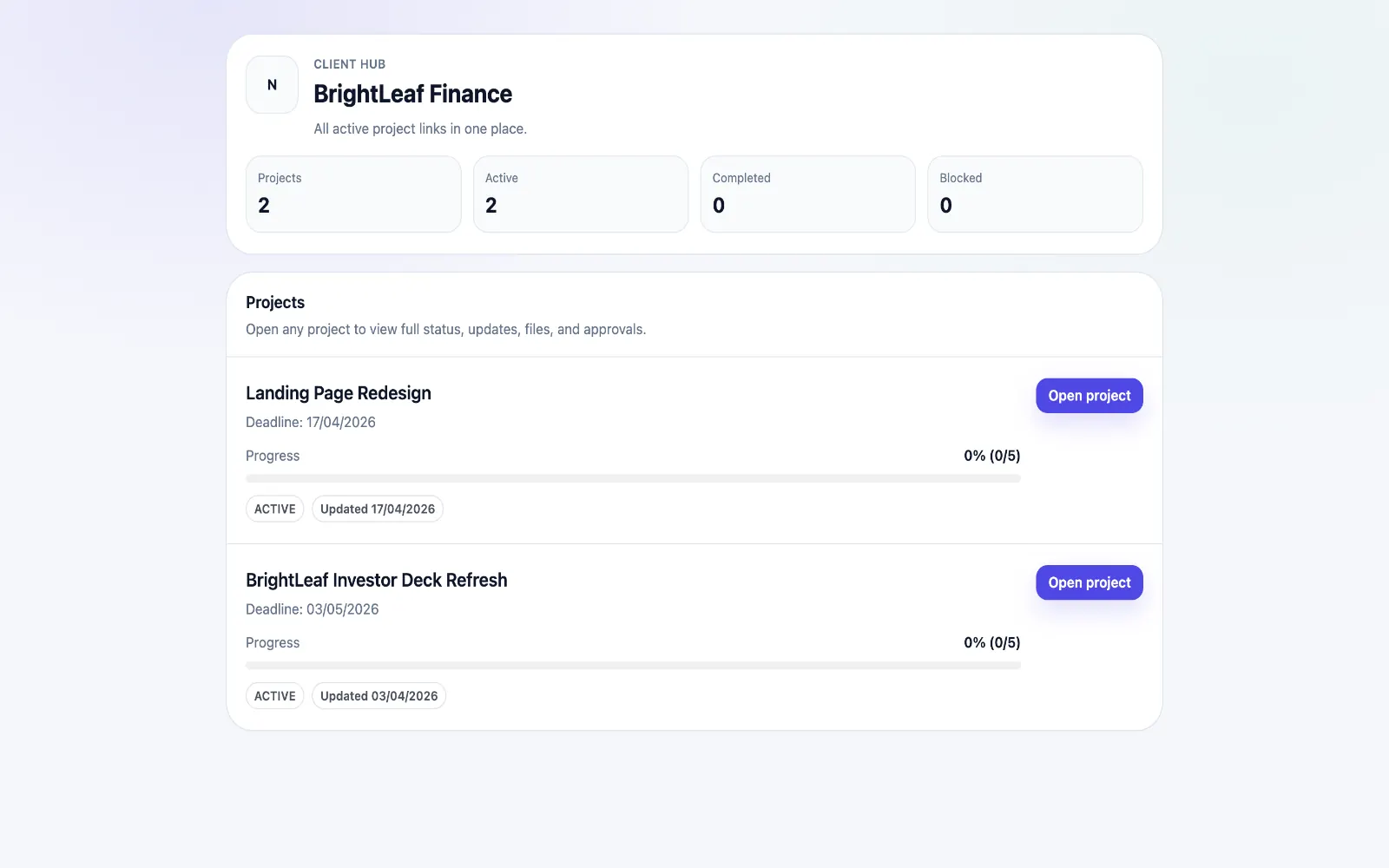
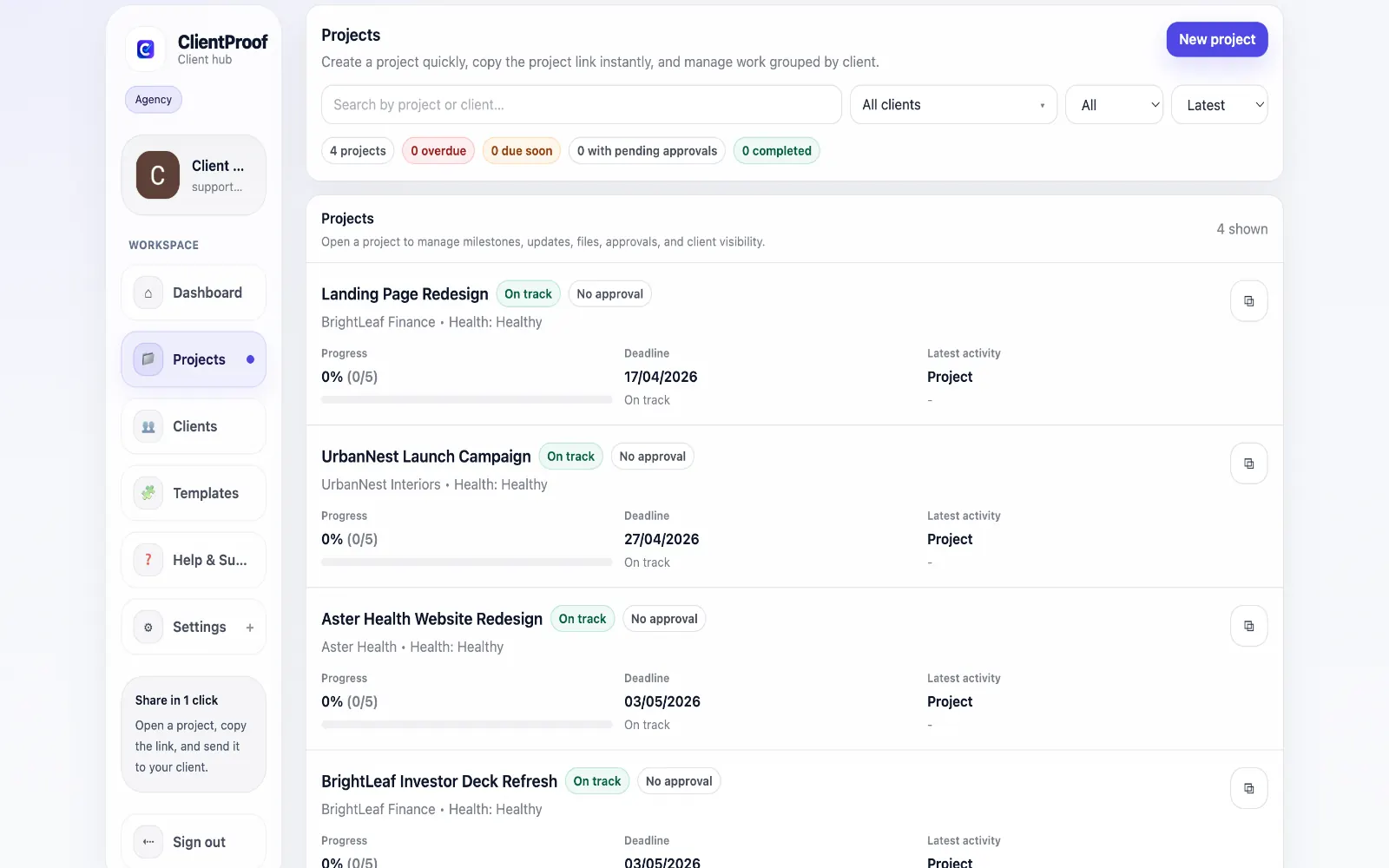
These are the core ClientProof workflows behind the client-facing experience for this audience.
Show clients what changed, what is next, and where the project stands.
Explore project status updatesRequest sign-off from the same no-login project page clients already use.
Explore client approval softwareKeep review rounds, creative files, comments, and final decisions connected.
Explore creative approval softwareGenerate timestamped proof when a client approves a deliverable.
Explore approval receiptsWeb designers face a recurring delivery problem: clients struggle to find the latest file, forget what was approved, and ask for resends weeks after delivery. The tools most designers use — Google Drive, Notion, WeTransfer — were not built for client-facing project communication. They were built for internal work or one-off transfers. ClientProof is different because it is designed specifically for the client side of project delivery. You create a project page, add milestones for each phase of your design process (discovery, wireframes, visual design, final delivery), attach files at each stage, and create approval requests when client sign-off is needed. Clients open one link and see the full project history. This changes the dynamic of client relationships. Instead of chasing clients for approval, you send them a page where the decision is clear. Instead of re-sending files, you point them to the project page. Instead of recapping the project on a call, the page speaks for itself.
Teams usually adopt this workflow to reduce repeated recap messages, avoid tool-switching confusion, and give clients one clear destination for updates, files, and decisions.
Use this matrix to evaluate whether ClientProof fits your client-delivery workflow better than alternatives.
| Feature | ClientProof | Alternative |
|---|---|---|
| No-login client access | Yes | Varies by tool |
| Status + files in one client view | Built-in | Often split across tools |
| Client approval clarity | Structured | Commonly scattered |
| Setup speed for first project | Fast | Can require extra configuration |
| Best fit | Freelancers and agencies focused on delivery visibility | Other tools |
| Winner | Best for client-facing delivery clarity | Best for broader or internal workflows |
Create a role-specific client delivery page template.
Publish weekly milestone updates in one consistent format.
Attach files and approvals to milestones so clients track decisions clearly.
Use one shared link for client communication instead of scattered recaps.
Yes. Final files, implementation notes, signoff requests, and handoff context all go into one project page. Clients get a professional delivery experience rather than a file dump in a Drive folder.
For client-facing delivery, yes. Google Drive is excellent for file storage but it provides no project context, no approval workflow, and no status visibility. ClientProof wraps your files in a professional project page that communicates progress alongside the assets.
You create an approval request inside the project, the client opens their link, reviews the deliverable, and clicks Approve or leaves a comment requesting changes. The decision stays attached to the milestone so there is no ambiguity about what was approved and when.
Yes. ClientProof is used by both solo freelance web designers and small agencies. The single-link design works well whether you have one client or twenty.
Start free forever and share one clean client link for updates, files, and approvals.