
Preview, version history, comments, and annotations.
Product
The focused system between finished work and a final answer.
ClientProof gives agencies one connected path for client review, exact-version approval, retained evidence, and visible delivery—without another client login.
- Private by default
- No client account
- Email-verified decisions
How it works
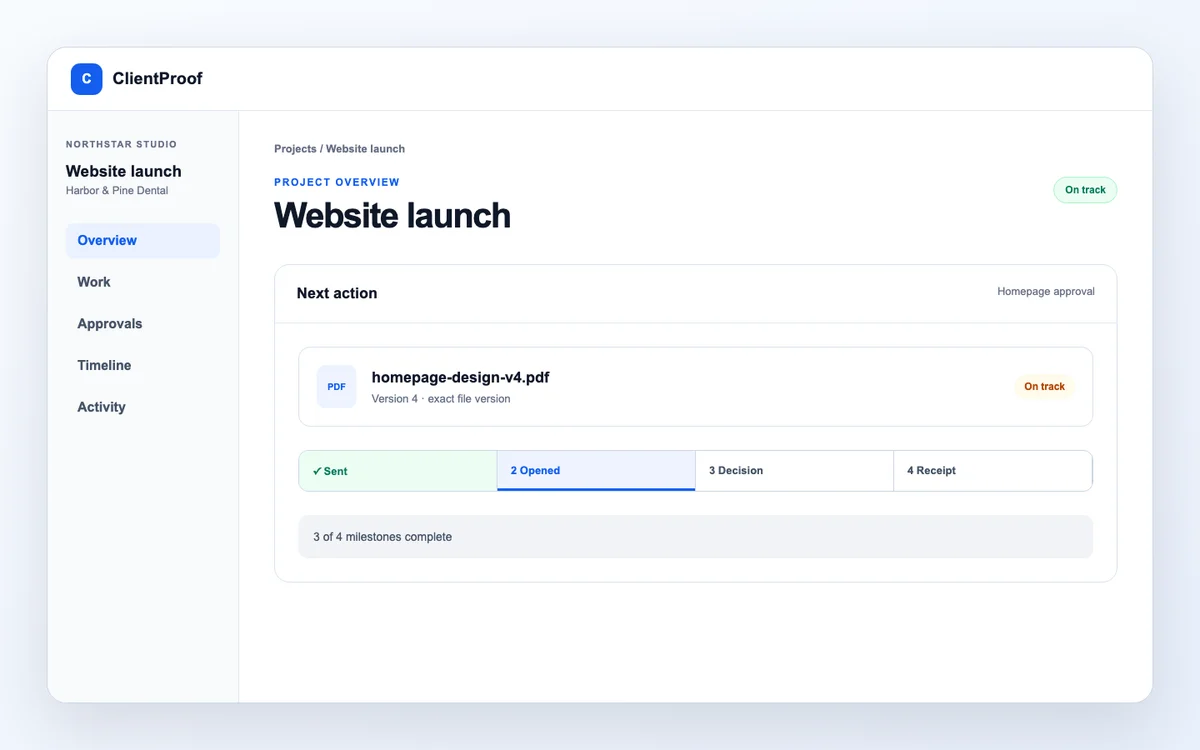
One uninterrupted delivery-to-decision journey
Each stage reveals only the work and action needed at that moment.
02 · Send
Turn one finished file into one clear request
Choose the decision owner, due date and exact immutable version. The client receives a focused private review link—not a project-management interface.
CURRENT APPROVAL
Due FridayWaiting for client
PDF
homepage-design-v4.pdfVersion 4 · assigned to Jordan Lee
Exact version✓SentExact version
✓OpenedPrivate link
3DecidedEmail verified
4ReceiptEvidence retained
VerificationEmail code requiredAfter decisionReceipt created
Capabilities
Deep where client delivery needs precision
Use ClientProof beside the tools that run your agency. It owns the client-facing review and decision layer.
01
Online proofing
Open the current file in a browser and keep contextual feedback with its review session.
Best for: Design, web, document, and creative reviews.
Know before you start: Feedback is not approval.
Explore this workflow02
Controlled file delivery
Share only the files that are ready, with the current version and project context visible.
Best for: Replacing scattered links and raw folders.
Explore this workflow03
Exact-version approval
Assign the decision owner and send one immutable file version for approval or changes.
Best for: Final deliverables and scope checkpoints.
Explore this workflow04
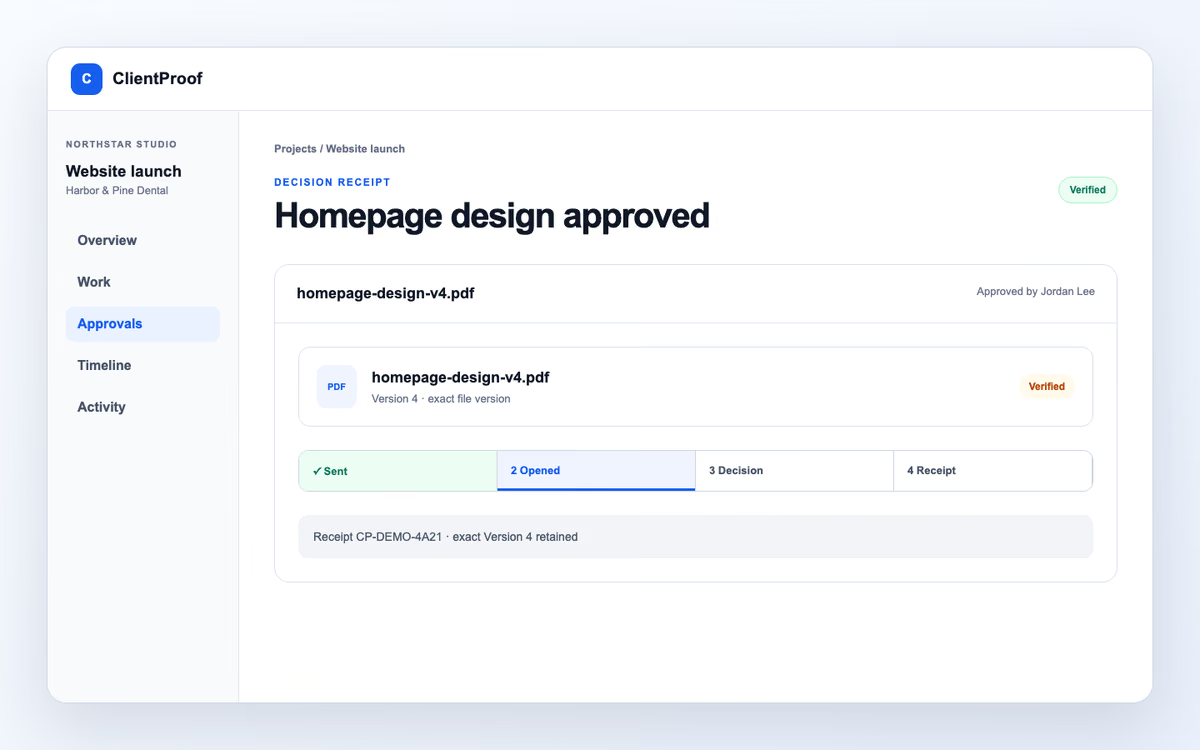
Approval receipt
Retain the decision, time, reviewer snapshot, verification method, and reference.
Best for: Agency records and handoffs.
Know before you start: Not a digital signature or contract.
Explore this workflow05
No-login client portal
Share milestones, updates, and selected files through one intentional client-facing project page.
Best for: Small agencies and independent studios.
Explore this workflow06
Repeatable delivery
Reuse project structures, prepare printable records, and retain completed evidence after archive.
Best for: Consistent delivery across repeat projects.
Explore this workflowCurrent V2 capability proof
Every capability has a visible job and a clear boundary
These are the workflows implemented in the current product. Review feedback remains distinct from a formal approval, every formal request has one decision owner, and operational evidence is not presented as a legal signature or contract.
01 · Action inbox
Start with the client action that can unblock delivery
See approvals, due work and client inputs across active projects in one prioritized queue instead of opening every project to find the next move.
- Product evidence
- Current product: workspace-level action queue with project context and next-action states.
- Boundary
- It is an operational inbox, not a replacement for an internal task manager.
ApprovalHomepage designDue today
InputFinal brand copyWaiting
MilestoneLaunch readinessNext
02 · Review feedback
Keep visual notes attached to the version reviewed
Use comments and marked feedback during review so revision context stays beside the file instead of being reconstructed from chat and email.
- Product evidence
- Current product: version-bound review sessions with comments and visual annotation support.
- Boundary
- Feedback records revision context. It does not record approval.
12Homepage · Version 3
Feedback session
Move the proof point closer to the result.
Feedback only · not approval03 · Version comparison
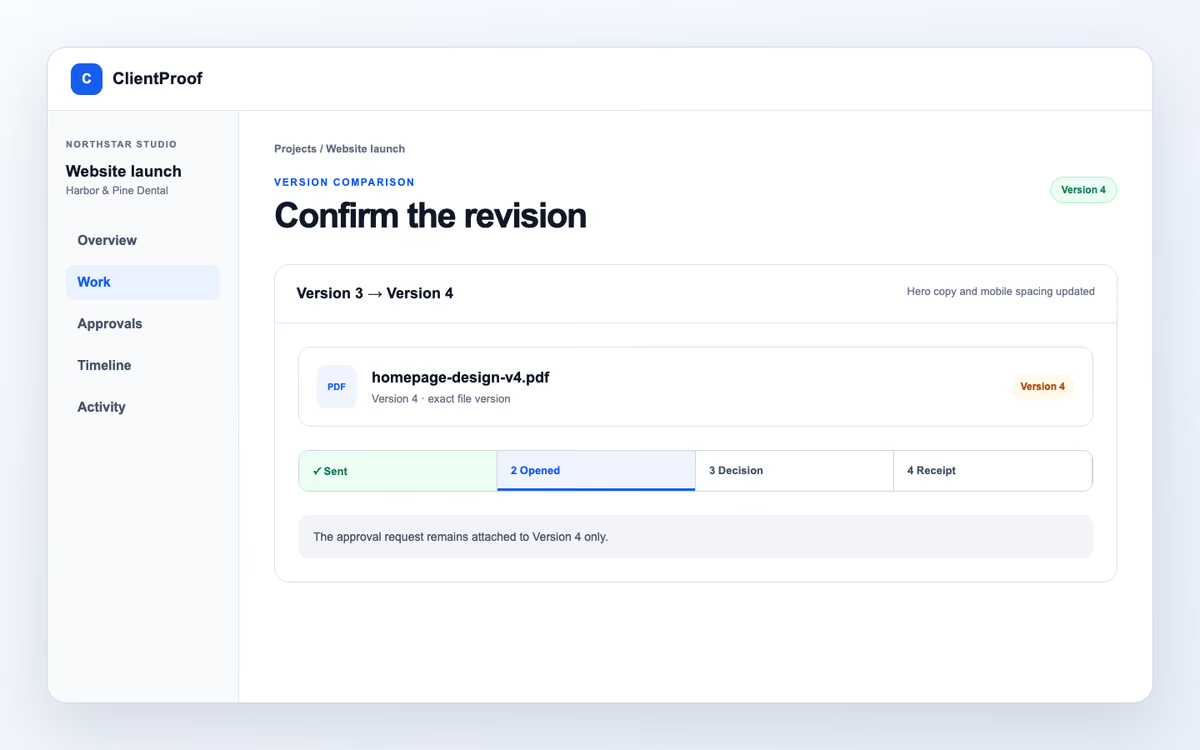
Make the revised version obvious before another decision
Compare the revision in context, keep earlier evidence intact, and send the new stored version through its own approval request.
- Product evidence
- Current product: explicit stored versions, comparison context and reapproval on the new version.
- Boundary
- A prior approval is never silently transferred to a different file version.
04 · Client inputs
Collect the information delivery needs before work stalls
Prepare focused client input requests inside the project so the team and client can distinguish missing information from approval work.
- Product evidence
- Current product: project-bound client input requests with visible completion state.
- Boundary
- Client inputs collect project information; they are not forms automation or CRM intake.
✓
Final logo filesReceived
✓
Legal business nameReceived
3
Launch contactWaiting for client
05 · Scope changes
Keep a scope decision separate from a file approval
Record the requested change, context and client outcome in the project without presenting the workflow as a contract, invoice or payment system.
- Product evidence
- Current product: project scope-change requests and retained decision history.
- Boundary
- This is operational project evidence—not a contract amendment or digital signature.
Requested changeAdd a second campaign landing page
Impact: 3 working days · milestone moves to 14 Nov
Return for changesAccept change
06 · Due dates and reminders
Make the due date visible and follow up without rebuilding the request
Set a decision due date, send a manual reminder, and use the configured reminder policy while the request remains unopened or undecided.
- Product evidence
- Current product: decision due dates, manual reminders and configured automatic reminder states.
- Boundary
- Provider acceptance is delivery status, not a guarantee that the recipient opened the message.
Due8 Nov 2026Assigned reviewer
Automatic reminders on
First reminder after 1 day unopened · stops after a decision
07 · Repeat and retain
Reuse the delivery structure and keep the final evidence readable
Start future projects from reusable templates, prepare printable project records, and retain files, decisions and receipts when a completed project is archived.
- Product evidence
- Current product: reusable templates, printable project reports and archived evidence retention.
- Boundary
- Reports summarize operational project evidence; they are not legal proof packets.
Product proof
A focused client interface. A complete agency record.
The client does not need to understand your internal tools. Your team does not lose the evidence behind the outcome.
Client decision
Clear on a phone, without an account.
One file, one version, one assigned decision.

Agency evidence
The result remains attached to its context.
Use a retained receipt for operational follow-through and handoff.
Product-state motion
See the moments that remove version and decision ambiguity
These compact interactions use accepted V2 labels and states. They remain fully readable with animation disabled.
Version clarity
The revision is obvious before the decision
Version 3 remains historical. Version 4 is the only file attached to the current request.
Version clarityVersion 4
Homepage design · Version 4
Version 4 Current product state
Review feedback
Context stays beside the work
Comments and annotations help refine the file, while the formal decision stays a separate action.
12
Review feedbackPin comment
homepage-design-v4.pdf · exact Version 4
Pin comment Current product state
No-account client journey
A clear decision on a small screen
The reviewer opens a private link, checks one version, chooses an outcome, then verifies by email.
No-account client journeyReview V4
homepage-design-v4.pdf · exact Version 4
Review V4 Current product state
Fit check
Use ClientProof for depth, not breadth
It is intentionally not an all-in-one agency suite.
You need a clearer client decision
Your team already creates the work. The missing layer is exact-version review, reviewer verification, and evidence that stays understandable later.
You need broad agency operations
Keep your CRM, proposals, time tracking, invoicing, contracts, and resource planning. Add ClientProof only for delivery, review, and approval.
Start with one real project
Make one real client handoff clearer.
Start with one active project free. Share only what is ready, then ask for approval only when the exact version is ready for a decision.