 ClientProof
Decision path
Choose ClientProof if...
- You want clients to see updates, files, and approvals in one link.
- You need faster signoffs with less recap messaging.
- You care about professional delivery visibility without login friction.
ClientProof is project status update software for freelancers and agencies. Instead of writing weekly status emails, you post a project update once and clients see it through a shared link with no login required. Every update is timestamped, tied to project context, and saved in the status history so clients can review progress anytime.
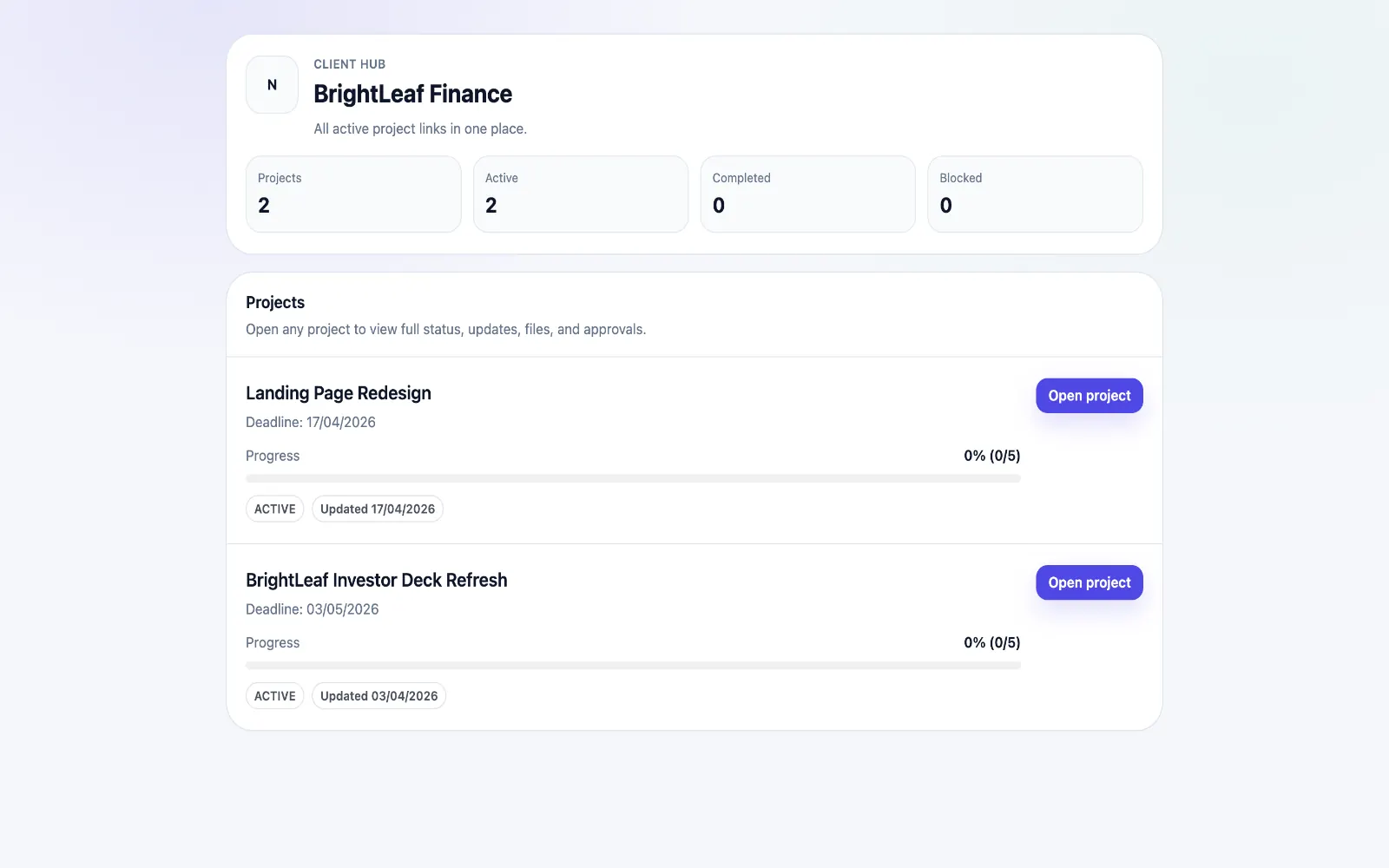
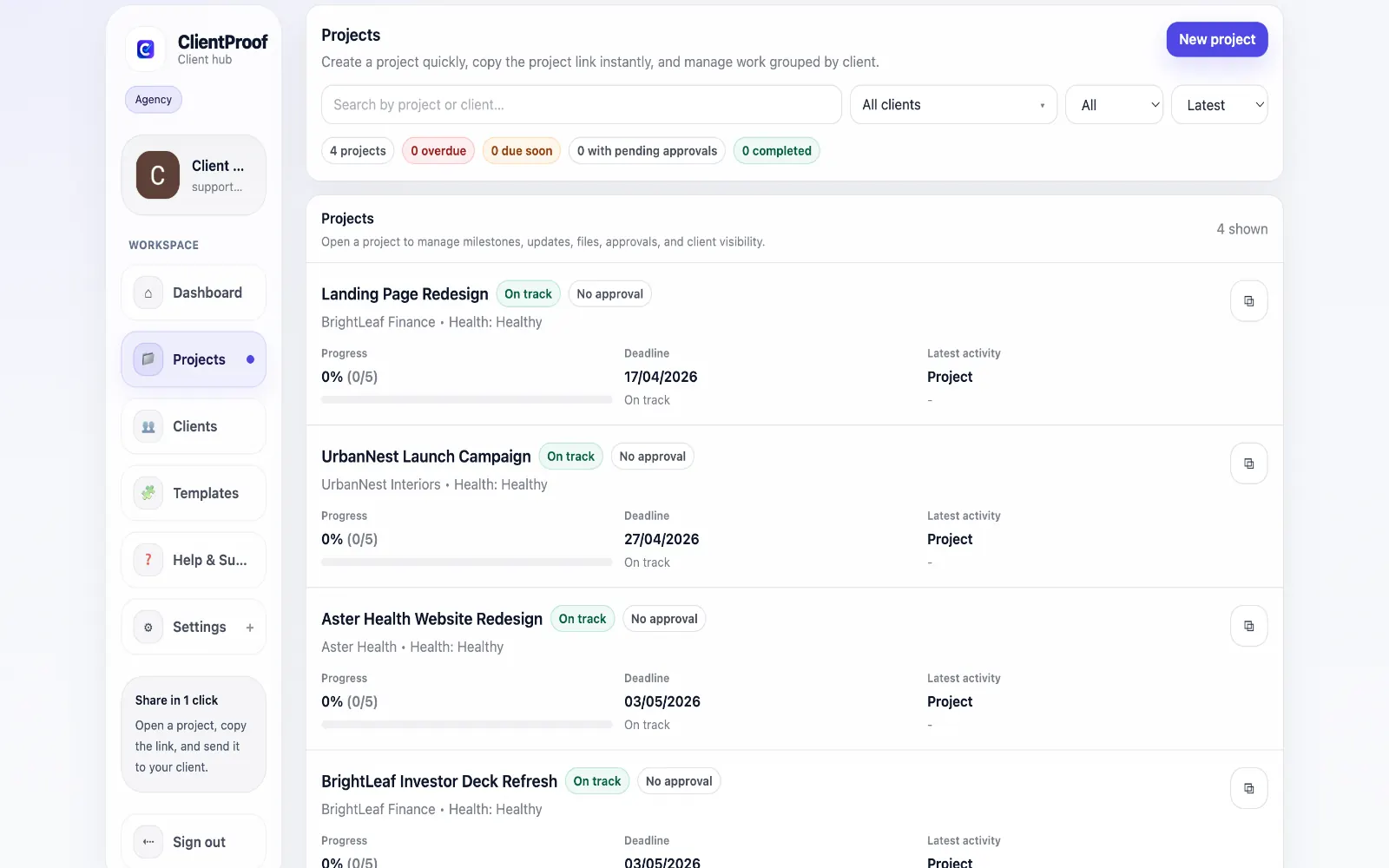
The best tool for sending project status updates to clients is one that keeps the latest update visible after the message is sent. A weekly email can notify clients, but it quickly becomes stale, gets buried in inboxes, and splits context across forwarded threads. ClientProof gives every project a persistent status page where the latest milestone, files, approvals, blockers, and next steps live together. When you post a status update in ClientProof, it becomes part of the project's client-facing timeline immediately. Clients do not need to request a recap, search old email, or ask which file is current. They open one branded link and see the same source of truth your team intended them to see. This makes status communication more reliable than a weekly status email. The update remains available for new stakeholders, returning clients, account managers, and anyone else who needs project context later. Each post can explain what changed, what is waiting on the client, what comes next, and which deliverables or approvals are connected to that update. For agencies and freelancers, the result is a calmer delivery rhythm: fewer "where are we at?" emails, fewer recap calls, cleaner stakeholder alignment, and a more professional client experience.
Teams usually adopt this workflow to reduce repeated recap messages, avoid tool-switching confusion, and give clients one clear destination for updates, files, and decisions.
A weekly status email can notify a client, but it does not create a durable source of truth. Use this table to compare a live ClientProof status page against a traditional email status update.
| Feature | ClientProof | Email status update |
|---|---|---|
| Client needs to log in | No - one shared link | No, but buried in inbox |
| Latest status stays current | Yes - live project page | No - email becomes stale |
| Full status history | Yes - timeline saved | Manual inbox search |
| Files, approvals, and updates together | Built-in | Often split across attachments |
| Multiple stakeholders see the same source | Yes | Forwarded threads fragment context |
| Know if clients are engaging | Yes - engagement tracking | No |
| Time to send each update | Fast reusable format | Repeated recap writing |
| Best fit | Client-facing project visibility | Short one-off notifications |
Create a ClientProof project page and add the milestones your client cares about.
Post a plain-language status update for the current milestone with progress, blockers, and next steps.
Attach related files or approval requests so the update has full delivery context.
Share one no-login link with every stakeholder instead of sending a long status email.
Use engagement tracking to confirm whether clients have viewed the update before following up.
The best tool is one that gives clients a persistent, easy-to-open place to see current progress. ClientProof is built for that workflow: you post an update once, clients open one shared link with no login, and the full status history stays available for review.
Move status out of recurring email threads and into a live project page. In ClientProof, you publish updates to the project timeline, attach relevant files or approval requests, and share one link clients can check anytime.
Project status update software helps teams publish progress updates, milestones, blockers, files, and next steps in one client-facing place. It replaces scattered recaps with a structured project timeline clients can revisit.
Create a project page, add milestones, publish concise updates, and send the client one link. ClientProof keeps project progress, deliverables, and approvals together so clients can understand the current state without searching email.
Yes. ClientProof is designed for no-login client access. Clients open the shared project link and see the latest updates, files, milestones, and approval requests without creating an account.
Most client projects benefit from a short update whenever a milestone changes, a file is delivered, an approval is needed, or a blocker affects timing. With ClientProof, you can update the project page as work changes instead of waiting for a weekly recap.
Start free forever and share one clean client link for updates, files, and approvals.