 ClientProof
Decision path
Choose ClientProof if...
- You want clients to see updates, files, and approvals in one link.
- You need faster signoffs with less recap messaging.
- You care about professional delivery visibility without login friction.
Dropbox is excellent cloud storage, but a Dropbox alternative for client sharing should do more than present a folder structure to clients. ClientProof adds delivery context, project milestone organization, and approval workflows to file sharing — giving clients a professional project page instead of a file browser.
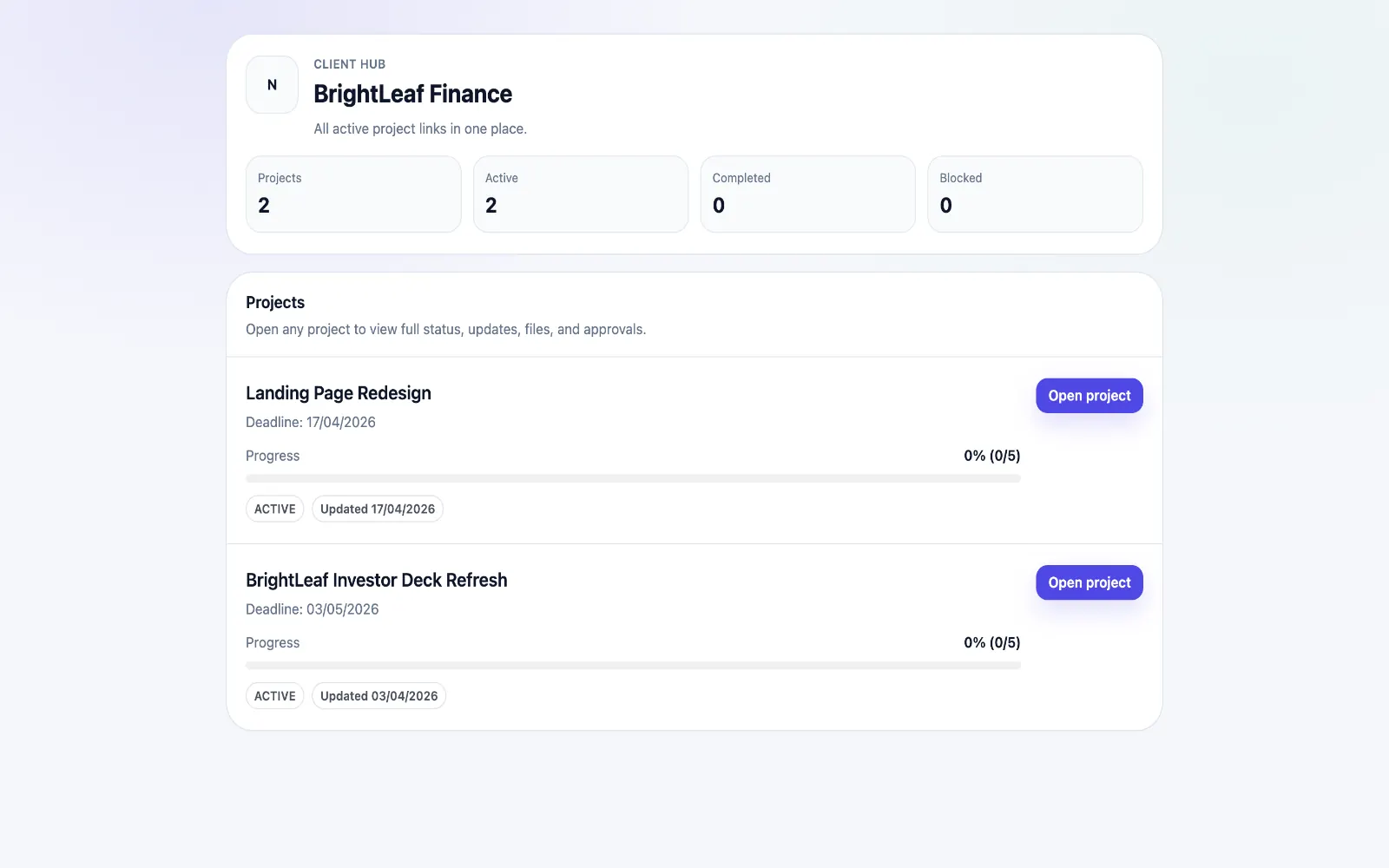
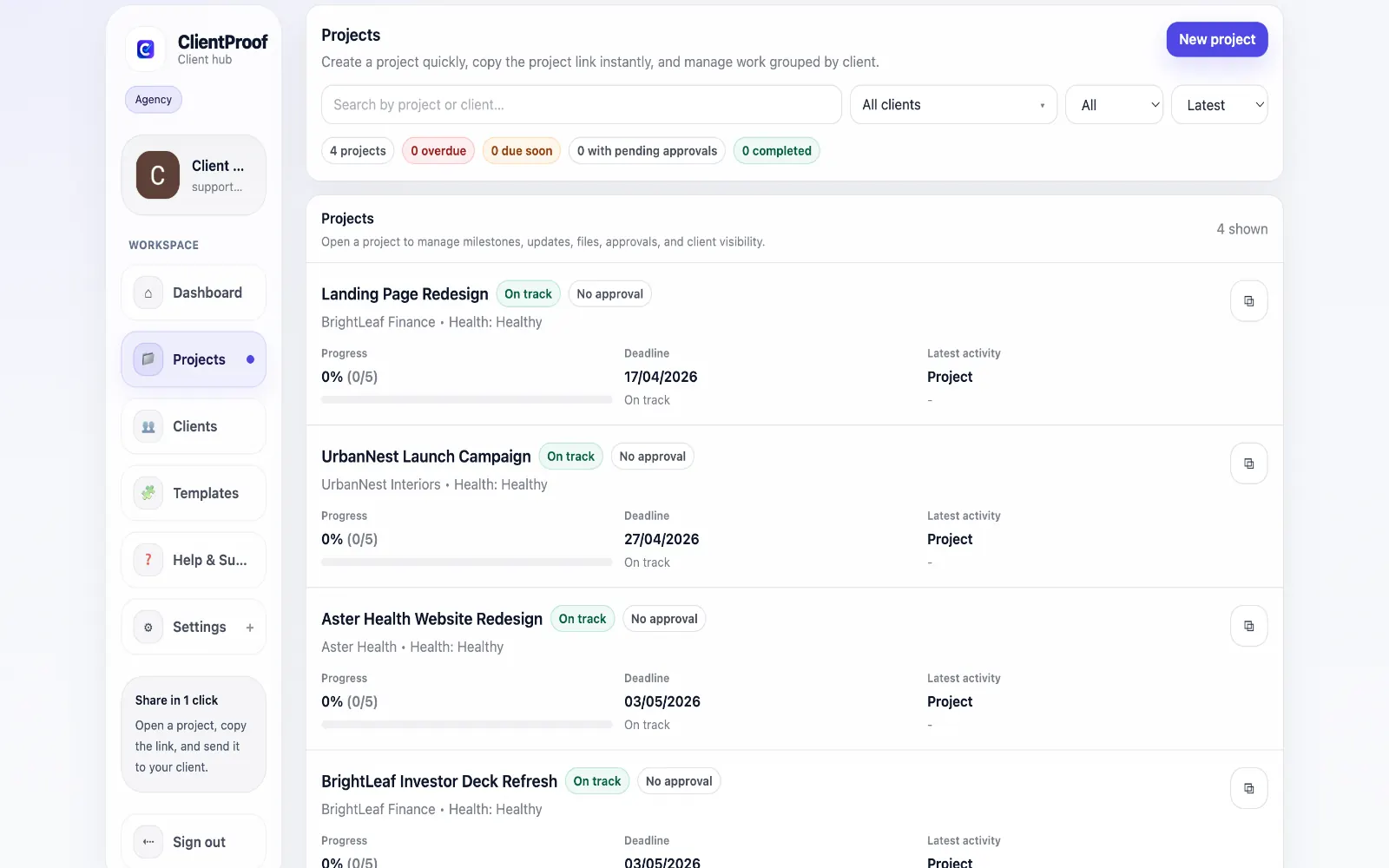
Dropbox and Google Drive share a common limitation when used for client delivery: they present files in a folder structure that makes sense internally but communicates raw storage to clients. A client opening a shared Dropbox folder sees files organized by whatever naming convention the freelancer chose — not by project phase, delivery date, or current status. This creates the same problems across different file storage platforms: clients cannot identify the current version, they do not know what needs their review, and they ask for guidance that should not be necessary if the delivery was properly structured. ClientProof wraps file delivery in a structured project presentation. Files are grouped by milestone (discovery, design, development, final), each milestone has a completion status, and approval requests make client actions explicit. The client experience is organized and professional rather than transactional.
Teams usually adopt this workflow to reduce repeated recap messages, avoid tool-switching confusion, and give clients one clear destination for updates, files, and decisions.
Use this matrix to evaluate whether ClientProof fits your client-delivery workflow better than alternatives.
| Feature | ClientProof | Alternative |
|---|---|---|
| No-login client access | Yes | Varies by tool |
| Status + files in one client view | Built-in | Often split across tools |
| Client approval clarity | Structured | Commonly scattered |
| Setup speed for first project | Fast | Can require extra configuration |
| Best fit | Freelancers and agencies focused on delivery visibility | Other tools |
| Winner | Best for client-facing delivery clarity | Best for broader or internal workflows |
List current friction points in your existing tool stack.
Pilot one project in a delivery-first client page format.
Compare clarity, approval speed, and follow-up volume.
Adopt the workflow that produces cleaner client outcomes.
Dropbox is optimized for team file sync and storage, not for client-facing delivery presentations. When clients open a shared Dropbox folder, they see a raw file browser with no project context, no indication of what is current, and no obvious approval workflow. A delivery-specific tool creates a more professional and actionable client experience.
Yes. Many teams store master files in Dropbox and attach delivery copies to ClientProof milestones when ready for client review. The tools serve different purposes and work well together.
No. Clients only need to open the link you share. There is no Dropbox account, no Google account, no ClientProof account — nothing.
Dropbox is file storage with sharing capabilities. ClientProof is a project delivery platform with file sharing as one component. ClientProof adds project structure (milestones, status), approval workflows, delivery history, and a purpose-built client experience.
Start free forever and share one clean client link for updates, files, and approvals.