 ClientProof
Project status updates
Show clients what changed, what is next, and where the project stands.
Explore project status updatesClientProof is a client portal for agencies that replaces scattered email threads, shared Drive folders, and endless Notion links with one professional client-facing page. Clients open a single link and see project status, files, pending approvals, and the full delivery timeline — no account needed on their end.
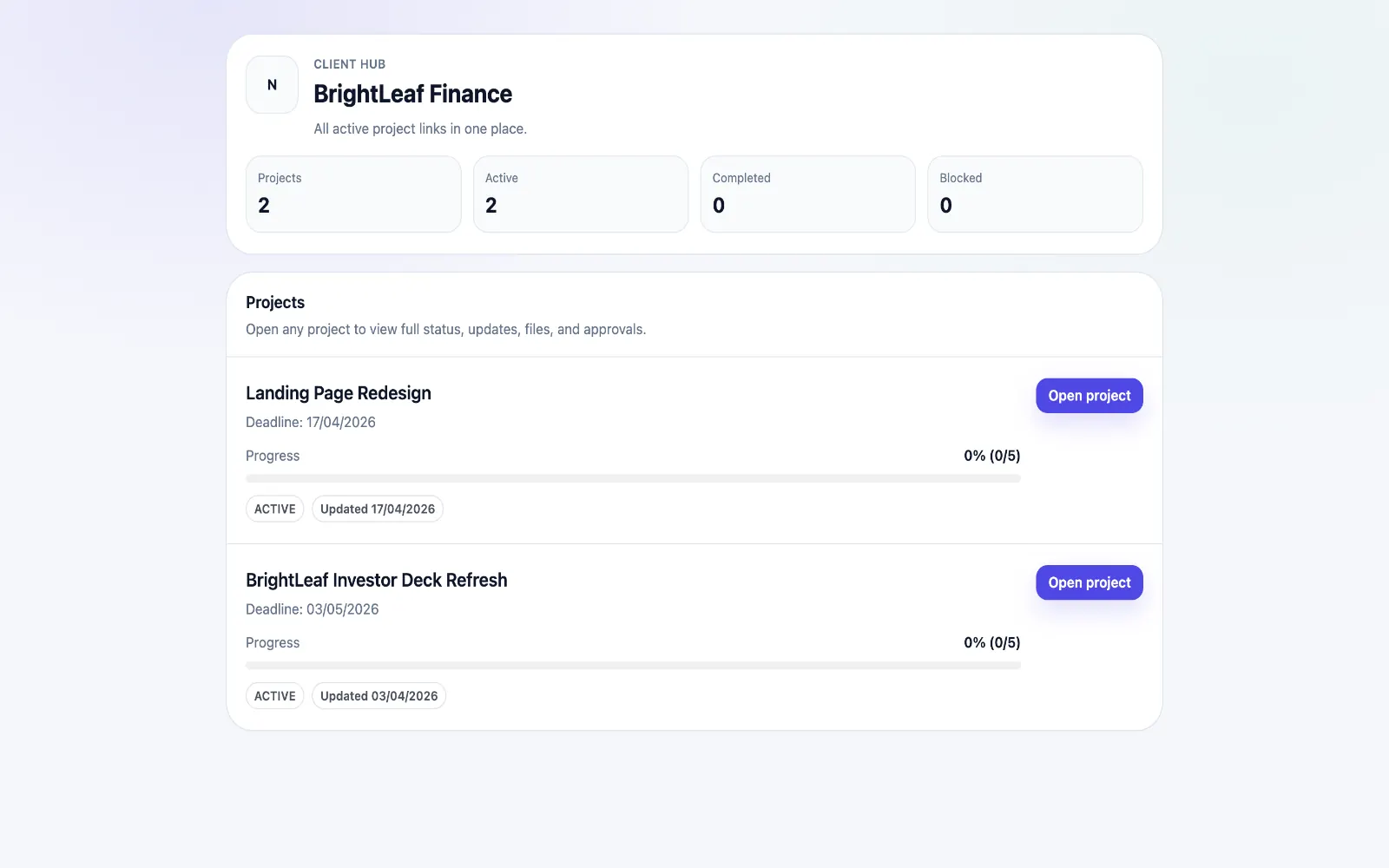
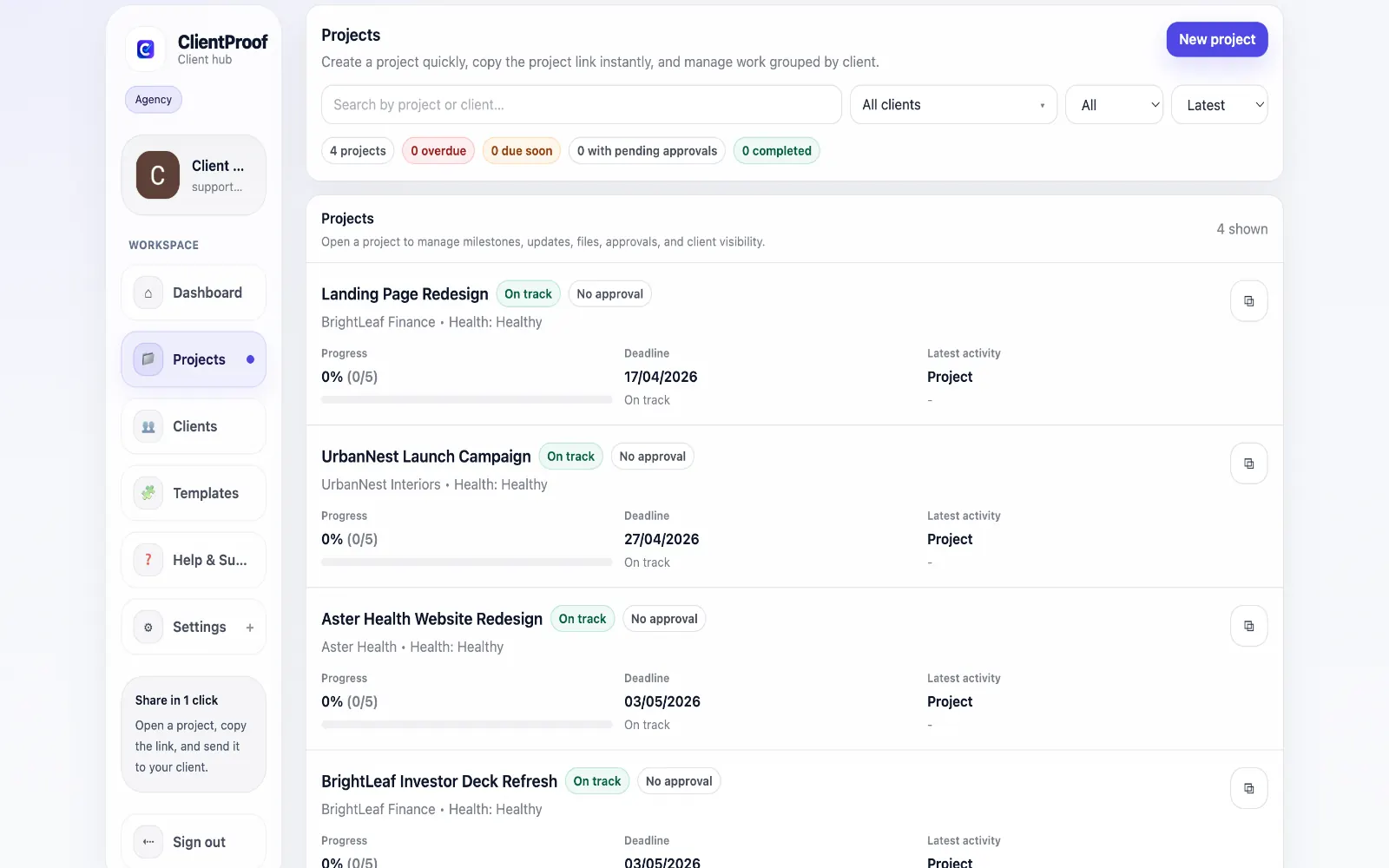
These are the core ClientProof workflows behind the client-facing experience for this audience.
Show clients what changed, what is next, and where the project stands.
Explore project status updatesRequest sign-off from the same no-login project page clients already use.
Explore client approval softwareKeep review rounds, creative files, comments, and final decisions connected.
Explore creative approval softwareGenerate timestamped proof when a client approves a deliverable.
Explore approval receiptsAgencies deal with a specific client communication problem: information is everywhere and clients are expected to find it themselves. Status updates live in Slack. Files are in Drive. Approval requests arrive by email. Clients fall behind, miss reviews, and ask the same questions repeatedly. ClientProof solves this by consolidating everything into one predictable, client-facing page. When a milestone is hit, you publish an update. When a file is ready, you attach it. When a decision is needed, you create an approval request. Clients receive one link and see all of it in a single professional view. The no-login design is deliberate. Clients who have to create an account, reset a forgotten password, or figure out permissions will delay reviews or skip them entirely. Removing that friction means faster approvals, fewer recap calls, and a more professional impression of your agency.
Teams usually adopt this workflow to reduce repeated recap messages, avoid tool-switching confusion, and give clients one clear destination for updates, files, and decisions.
Use this matrix to evaluate whether ClientProof fits your client-delivery workflow better than alternatives.
| Feature | ClientProof | Alternative |
|---|---|---|
| No-login client access | Yes | Varies by tool |
| Status + files in one client view | Built-in | Often split across tools |
| Client approval clarity | Structured | Commonly scattered |
| Setup speed for first project | Fast | Can require extra configuration |
| Best fit | Freelancers and agencies focused on delivery visibility | Other tools |
| Winner | Best for client-facing delivery clarity | Best for broader or internal workflows |
Create a role-specific client delivery page template.
Publish weekly milestone updates in one consistent format.
Attach files and approvals to milestones so clients track decisions clearly.
Use one shared link for client communication instead of scattered recaps.
Yes. ClientProof is designed for small to mid-size agencies that need fast setup and clear client communication without complex onboarding. Most teams create their first project page and share a client link within 10 minutes.
Yes. Clients open the link you share and see the project instantly. There is no account creation, no password, and no app download required.
It significantly reduces them. When clients have a live page showing current status, files, and pending approvals, the volume of 'where are we?' and 'can you resend that file?' messages drops considerably. Many agency users report cutting weekly status emails by 60–80%.
Yes. Each project or client gets its own page, and you can manage all of them from your ClientProof dashboard. There is no limit on the number of client pages.
Any file type can be attached to a project page — PDFs, images, videos, design files, documents, and ZIP archives. Clients can download files directly from the project page without needing to log in.
Start free forever and share one clean client link for updates, files, and approvals.