 ClientProof
No-Login Client Portal
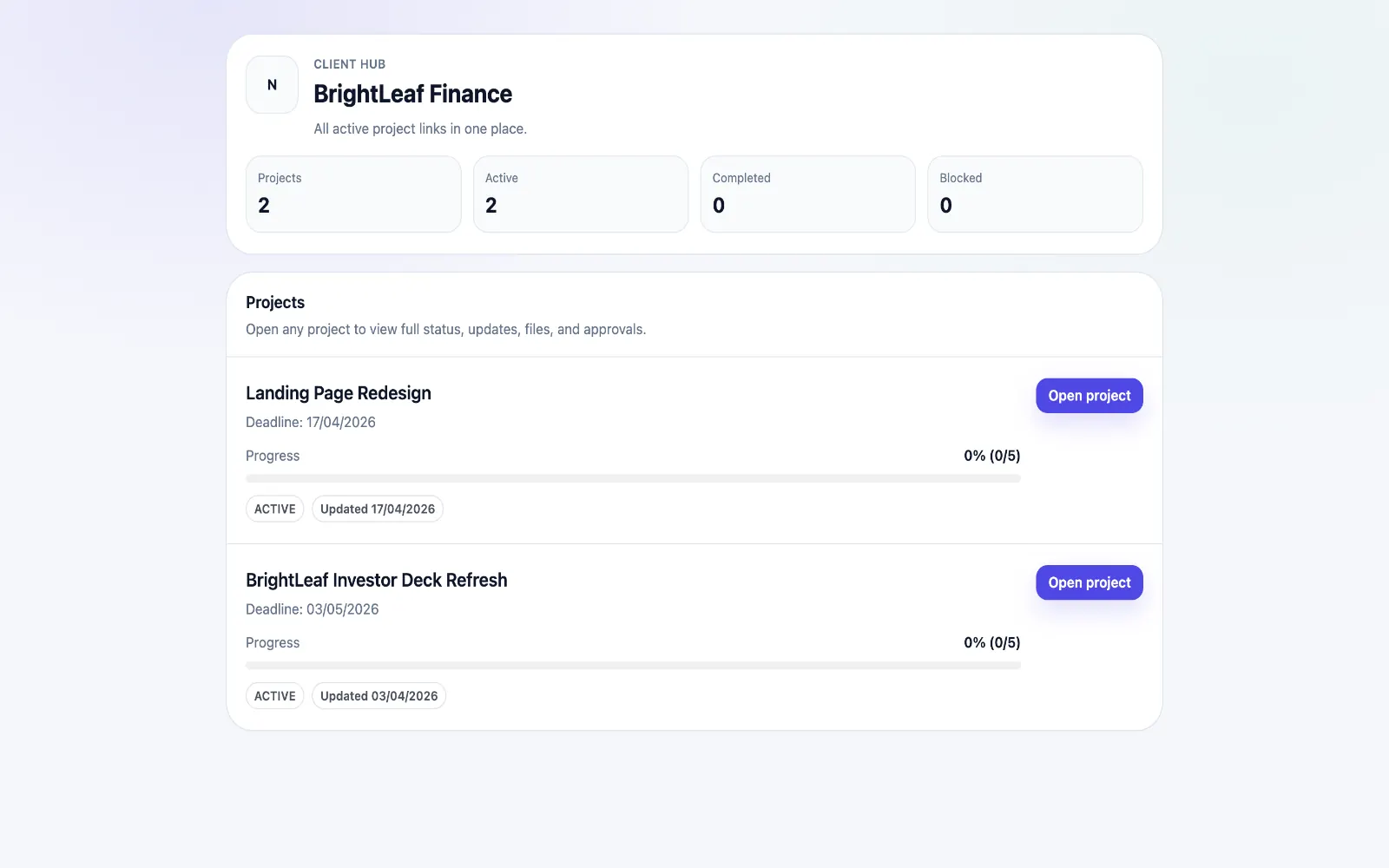
A no-login client portal gives your clients one project link they can open instantly. No account creation, no password reset loop, and no onboarding delay before they can review progress, download files, or approve deliverables.
Why no-login access matters for client delivery
The biggest reason client delivery workflows stall is not quality of work. It is access friction. Most client portals ask stakeholders to create an account before they can view a single update. That extra step often delays review, slows approvals, and increases project manager overhead.
Across freelancer and agency workflows, invite-to-activation rates often stay under forty percent when login is mandatory. Clients are already juggling their own systems and do not want another password. A no-login client portal removes that adoption tax and helps decision-makers engage immediately when you share an update.
This translates into practical gains: fewer "did you get my file?" messages, faster signoffs, clearer stakeholder alignment, and less time spent reassembling context from email threads. Teams become more responsive without adding extra tools or admin layers.
How ClientProof's no-login system works technically
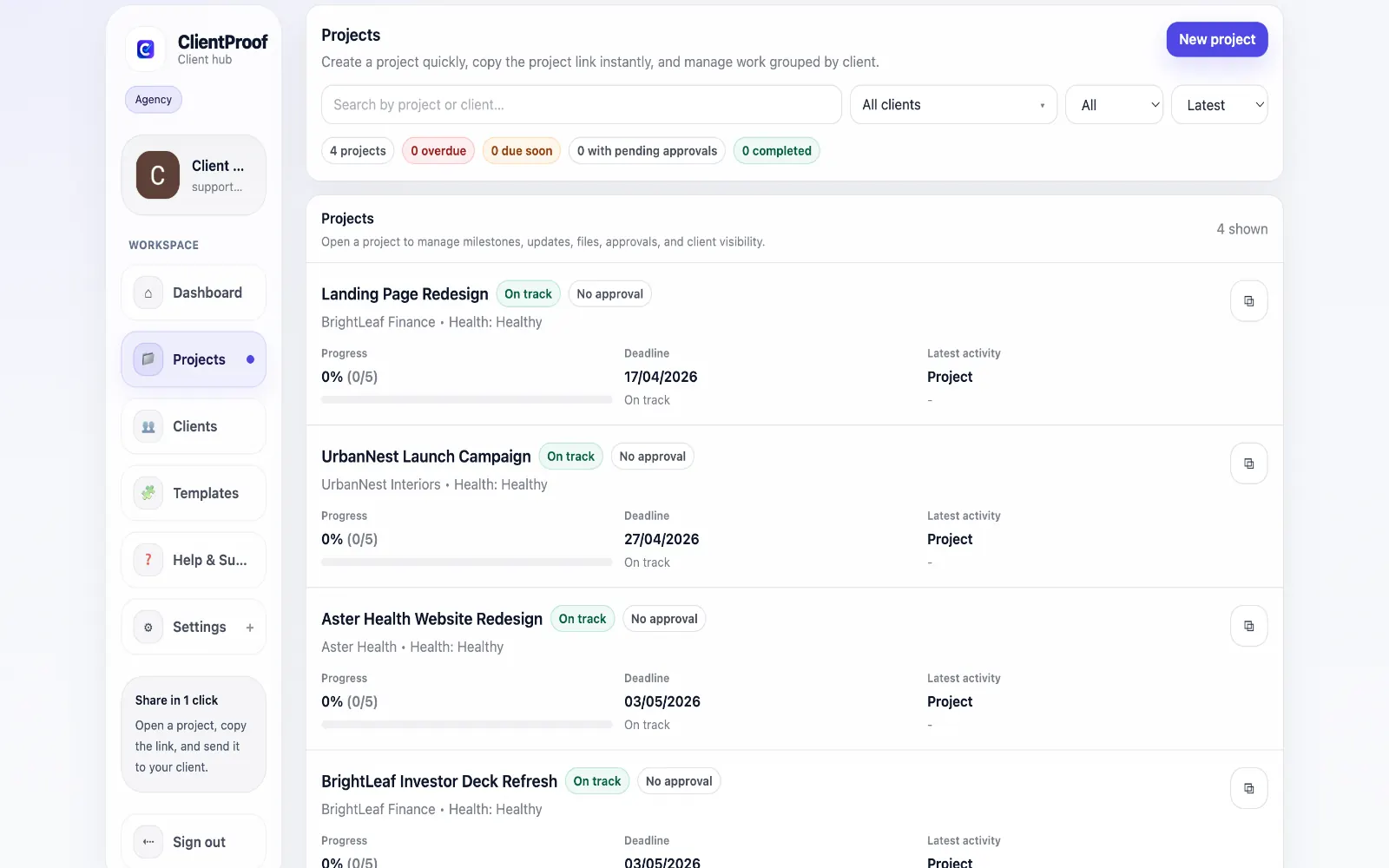
When you create a project in ClientProof, the platform generates a unique secure link for that client-facing page. The link carries a scoped access token that authenticates viewing without requiring credentials. Clients can review updates, files, and approvals for that project only.
The permission model is intentionally constrained. Client stakeholders can review content and complete approval actions, but they cannot change internal workflow configuration or edit your team-side project setup. This gives clients fast access while preserving operational control.
If access must be reset, you can regenerate the link. The previous token is invalidated and the new link becomes the only active entry point. This provides practical access control without forcing every stakeholder into account onboarding.
Deployment checklist
- Create the project and define milestones.
- Upload deliverables and attach approval requirements.
- Share one secure link with stakeholders.
- Track responses and rotate link access when needed.
Who benefits most from no-login client portals
- Freelancers with non-technical clients who avoid signing up for new tools.
- Agencies that need multiple client stakeholders to review the same project link.
- Web designers running structured handoffs with explicit review and approval checkpoints.
- Consultants sharing executive-facing status reports where speed matters most.
If your team repeatedly repeats context across email, chat, and cloud folders, no-login delivery usually creates immediate efficiency gains. It is especially effective when clients only need visibility and decision access, not full operational collaboration tooling.
No-login portal vs password-protected portal vs full login portal
| Type | Setup friction | Client experience | Best for |
|---|---|---|---|
| No-login (ClientProof) | Zero | Opens instantly | Delivery-focused agencies |
| Password-protected | Low | One-time friction | Sensitive documents |
| Full login required | High | Account creation required | Long-term collaboration tools |
Most delivery workflows do not need full login complexity. They need clarity, speed, and consistent signoff. For those use cases, a no-login client portal is often the most practical model.
What changes after switching to a no-login client portal
Most teams notice the first improvement in response speed. Clients open the link sooner because there is no account setup requirement. That usually shortens review cycles and reduces the lag between delivery and decision.
The second improvement is communication quality. Updates, files, and approvals stay together, so context is easier to follow for both new and existing stakeholders. Instead of replying with full recaps, teams can direct clients to one canonical project view.
The third improvement is operational consistency. Teams stop reinventing handoff structure per client and start using repeatable milestone patterns. Over time this lowers account-management overhead while increasing client confidence in the delivery process.
Most importantly, no-login delivery improves stakeholder participation in moments that matter most: approvals, change requests, and final handoff confirmation. When access is instant, decisions happen closer to real time, which helps agencies and freelancers maintain delivery momentum without escalating reminder loops.
30-day rollout plan
- Pilot one active project with no-login access.
- Define update cadence and approval ownership rules.
- Track approval latency and recap-request volume weekly.
- Roll out to all active projects after pilot validation.
Frequently asked questions
Is a no-login client portal secure?
Yes, when implemented correctly. ClientProof uses a unique project link with a scoped token so clients can view updates, files, and approvals for that project only. Clients cannot edit your project configuration or access unrelated client work.
Can I revoke access to the client link?
Yes. You can regenerate the client link whenever access needs to be reset. Regeneration invalidates the previous link so old URLs no longer open the project.
Can multiple people at the client's company use the same link?
Yes. Teams often share the same project link across decision-makers, which is useful when marketing, product, and leadership stakeholders all need visibility without onboarding friction.
What happens to the client link when a project is closed?
Most teams keep the link live as a final delivery record, including approval history and file context. If you need to shut access down, regenerate or disable the link as part of project closeout.
Does no-login mean anyone with the link can see my project?
Access is link-based, so anyone who has the active URL can open that project page. In practice, teams treat it like a private share link and rotate it if it is forwarded outside approved stakeholders.
How is this different from just sending a Google Drive link?
Google Drive is file storage, not client delivery workflow. A no-login client portal combines status updates, milestone context, files, and approvals in one place so clients understand what changed and what decision is needed.
Deliver projects faster with zero client login friction
Start free forever and share one no-login link for updates, files, and approvals.