 ClientProof
Project status updates
Show clients what changed, what is next, and where the project stands.
Explore project status updatesClientProof gives consultants a dedicated client portal for clear communication, organized file sharing, and documented delivery proof — all in one page that clients can access without creating an account. Share strategy documents, analysis outputs, presentation files, and next-action summaries in a professional, organized flow.
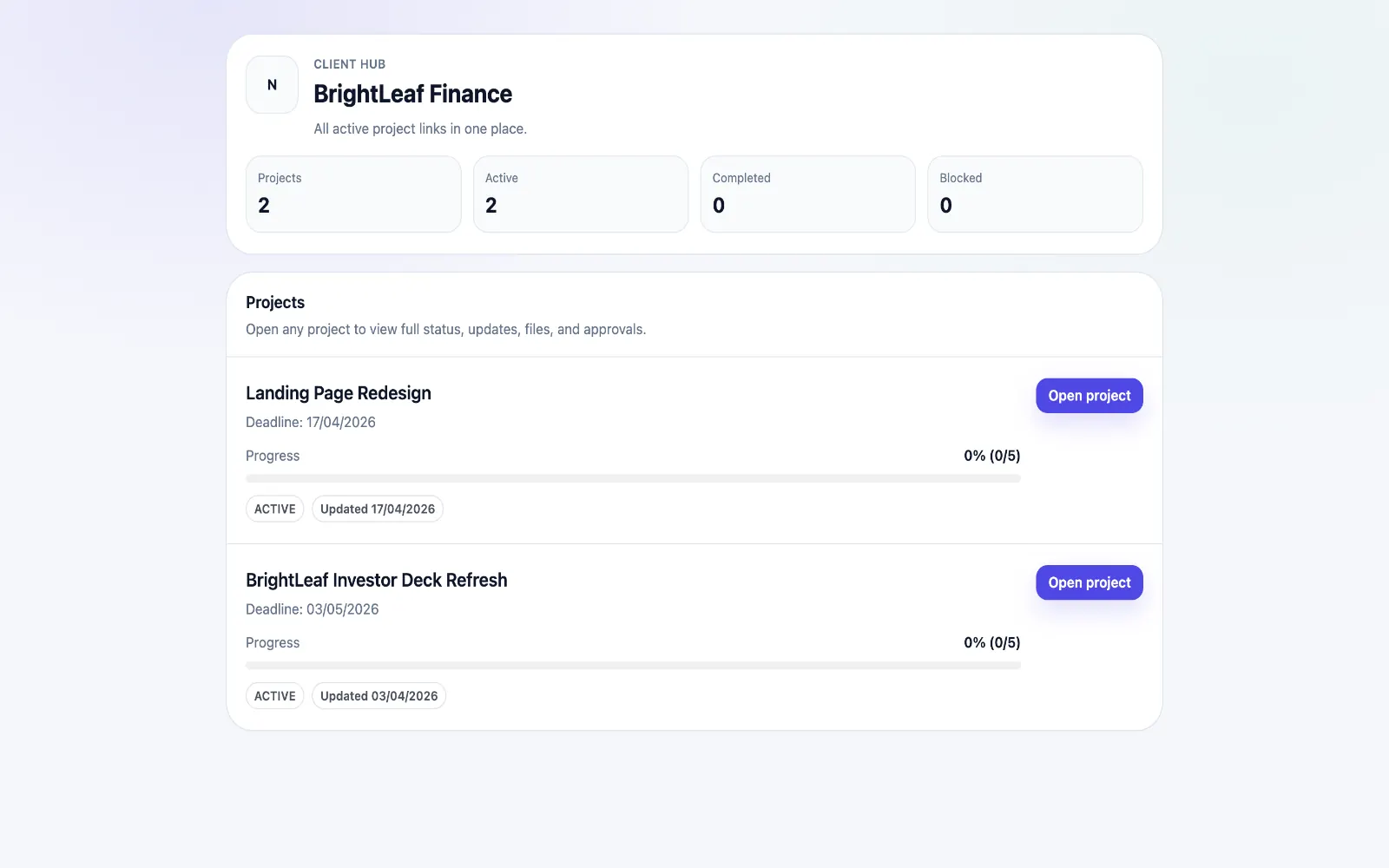
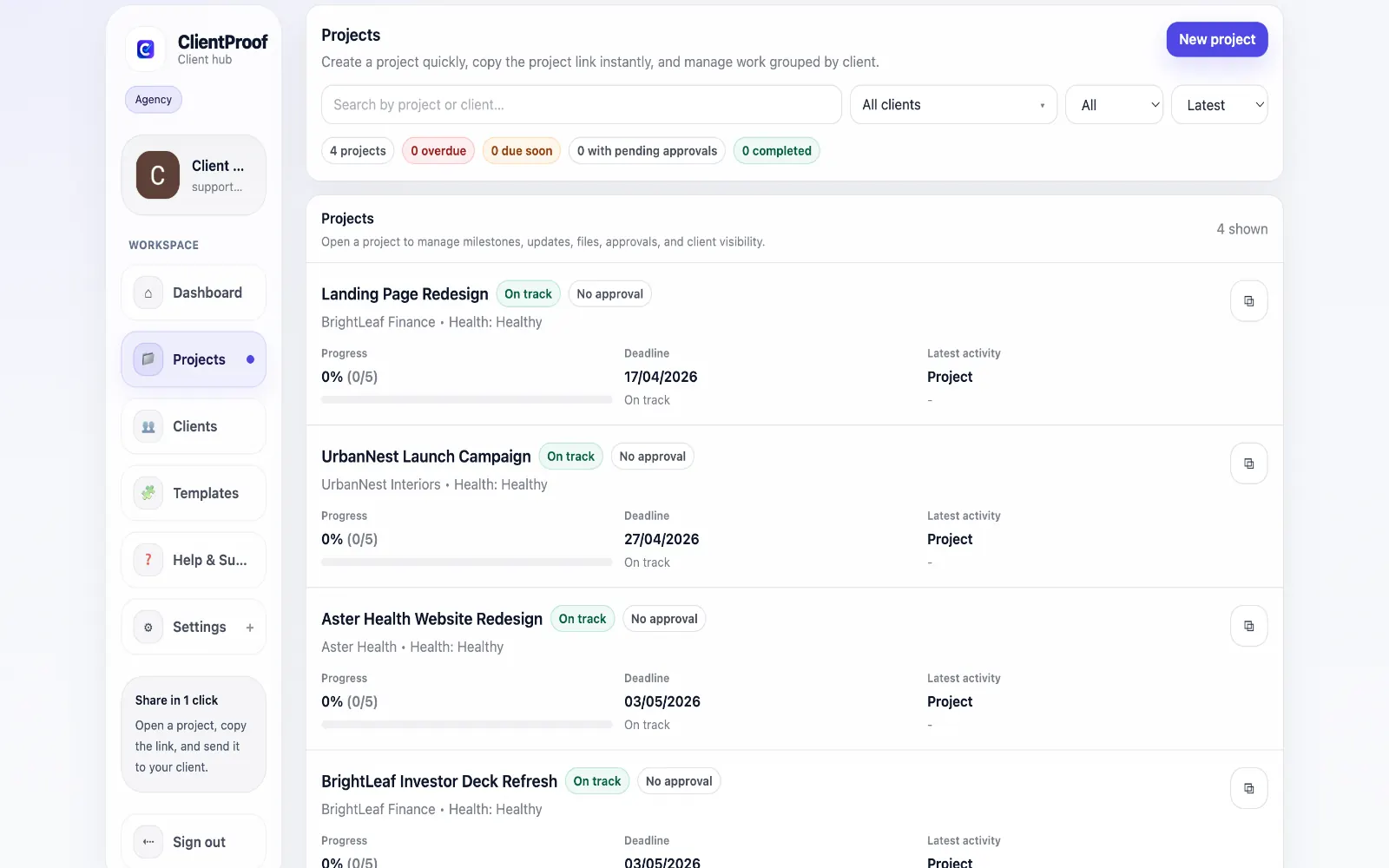
These are the core ClientProof workflows behind the client-facing experience for this audience.
Show clients what changed, what is next, and where the project stands.
Explore project status updatesRequest sign-off from the same no-login project page clients already use.
Explore client approval softwareKeep review rounds, creative files, comments, and final decisions connected.
Explore creative approval softwareGenerate timestamped proof when a client approves a deliverable.
Explore approval receiptsConsultants operate on the trust and clarity of their communication. When deliverables are scattered across email attachments, revision copies are hard to track, and clients can't easily find the agreed-upon next steps, the perception of the engagement suffers even when the work is excellent. ClientProof gives consultants a single professional delivery channel. Each project phase — discovery, analysis, recommendations, implementation support — gets its own milestone. Deliverable files attach to the right phase. Approval requests ensure both parties agree before moving to the next stage. Clients can reference the full engagement history from one URL. This is particularly valuable for longer engagements where clients change contacts mid-project or need to brief internal stakeholders on progress. Rather than re-explaining everything, you point them to the project page.
Teams usually adopt this workflow to reduce repeated recap messages, avoid tool-switching confusion, and give clients one clear destination for updates, files, and decisions.
Use this matrix to evaluate whether ClientProof fits your client-delivery workflow better than alternatives.
| Feature | ClientProof | Alternative |
|---|---|---|
| No-login client access | Yes | Varies by tool |
| Status + files in one client view | Built-in | Often split across tools |
| Client approval clarity | Structured | Commonly scattered |
| Setup speed for first project | Fast | Can require extra configuration |
| Best fit | Freelancers and agencies focused on delivery visibility | Other tools |
| Winner | Best for client-facing delivery clarity | Best for broader or internal workflows |
Create a role-specific client delivery page template.
Publish weekly milestone updates in one consistent format.
Attach files and approvals to milestones so clients track decisions clearly.
Use one shared link for client communication instead of scattered recaps.
Yes. It works well for both fixed-scope projects and ongoing advisory retainers. For recurring work, you continue adding updates and milestones to the same project page, giving clients a continuous record of the engagement.
Yes. Each milestone update supports rich text for written commentary alongside file attachments. You can share a slide deck and include a written summary of key recommendations in the same delivery update.
Absolutely. The client page is designed to be clear and self-explanatory for non-technical stakeholders. There are no complex tools to navigate, no account to create, and no permissions to manage.
When a consultant creates an approval request tied to a specific deliverable, the client's response — whether approved or requesting changes — is recorded in the project page. This creates clear documentation of what was agreed and when, which is valuable for managing scope changes.
Start free forever and share one clean client link for updates, files, and approvals.