Choose one file
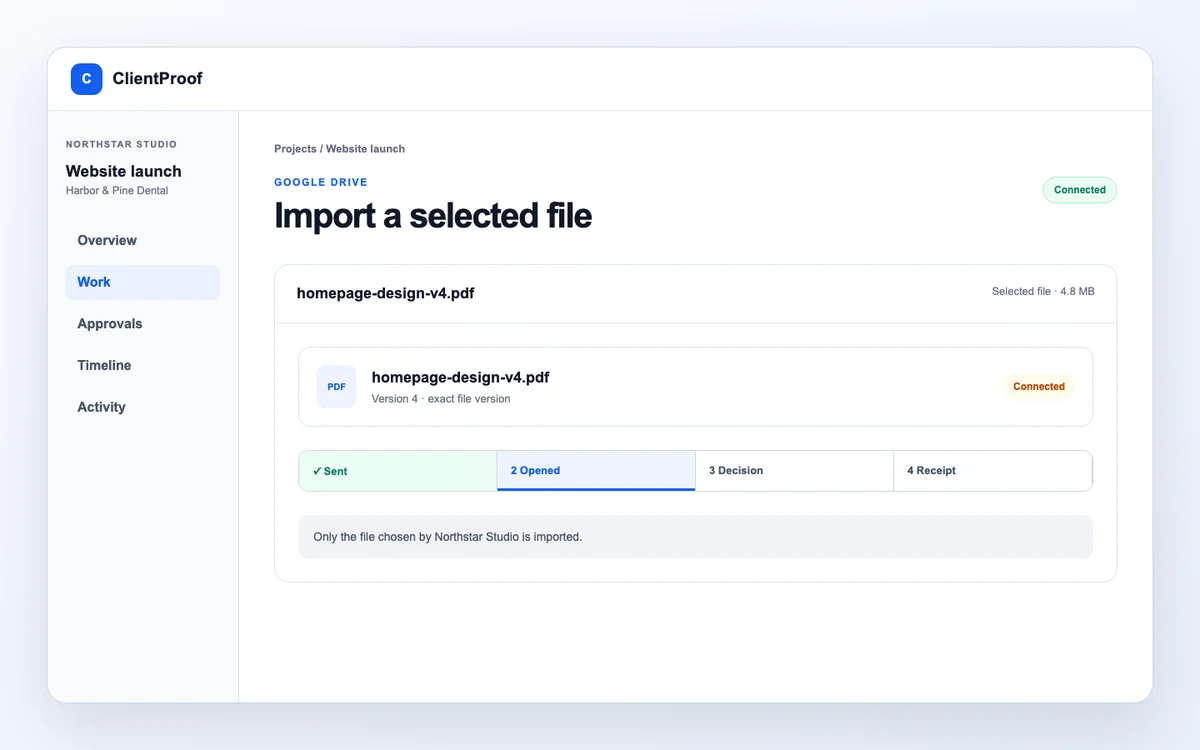
Import starts from an explicit user selection rather than mirroring the whole Drive.
Google Drive integration
Choose a Drive file for a ClientProof project. Import a frozen copy for controlled review or attach a live Drive link when the source should keep changing.
What changes
ClientProof keeps the public project context, private review action, and retained decision record distinct—so clients know what to read and what to do.
Import starts from an explicit user selection rather than mirroring the whole Drive.
Use a frozen copy for controlled review or a live link for an evolving source.
An imported copy can enter the same exact-version decision workflow.
Drive workflow
Google Drive remains the file source. ClientProof adds project context and the decision journey.
Authorize the Drive account from ClientProof settings.
Open the client project that should receive the file.
Use the Google picker to choose the intended source.
Create a frozen project copy or keep a live Drive reference.
Import modes
Use the mode that matches whether the file should be immutable for review or continue changing in Drive.
| Need | Frozen copy | Live Drive link |
|---|---|---|
| File behavior | Stored project version | Opens the current Drive source |
| Exact-version approval | Appropriate | Not an immutable ClientProof version |
| Source updates | Do not alter the imported copy | Remain visible through the Drive link |
| Best use | Approval and retained evidence | Reference material that keeps changing |
Integration boundary
The integration does not attempt to replace Google Drive or silently mirror it.
Import the intended file as a stored version before requesting a client decision.
Best for: Final or checkpoint files
Attach a Drive link when the client should always open the latest source.
Best for: Working documents and evolving folders
Stay in Google Drive when comments, editing and file storage are the entire workflow.
Know before you start: ClientProof adds value only when project context or explicit approval is needed.
Compare Drive's storage strength with ClientProof's delivery and approval layer.
Read the Google Drive comparisonBuyer questions
These answers describe the product as it works today. They do not assume features that are not in the current ClientProof code.
No. The implemented workflow uses selected-file access. You choose the file and then choose whether to import a frozen copy or attach a live link.
A live link can change outside ClientProof, so it is not the same as a frozen stored version. Import a copy when exact-version approval evidence is required.
No. Clients can open the shared project page and private review links without creating a ClientProof account. A formal decision is confirmed by a code sent to the assigned reviewer email.
No. It is operational approval evidence: the exact file version, assigned reviewer, decision, timestamp, verification method and receipt reference. It is not presented as a digital signature or contract.
Start with one real project
Start with a single project and verify that the selected-file workflow matches the way your team stores and approves work.