 ClientProof
Project status updates
Show clients what changed, what is next, and where the project stands.
Explore project status updatesClientProof gives marketing consultants a professional no-login client portal for sharing strategy work, campaign updates, deliverables, and approval checkpoints without weekly recap chaos.
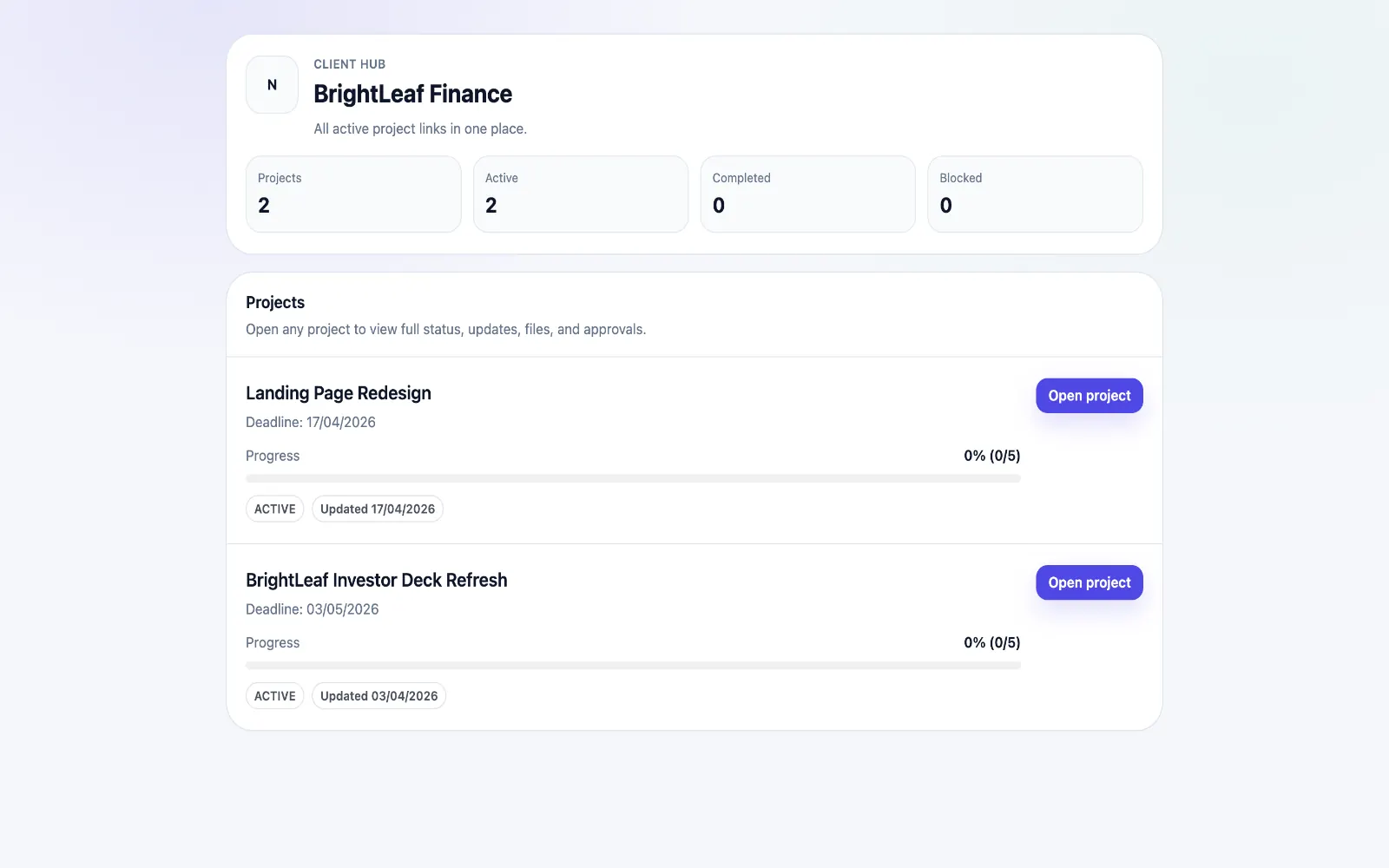
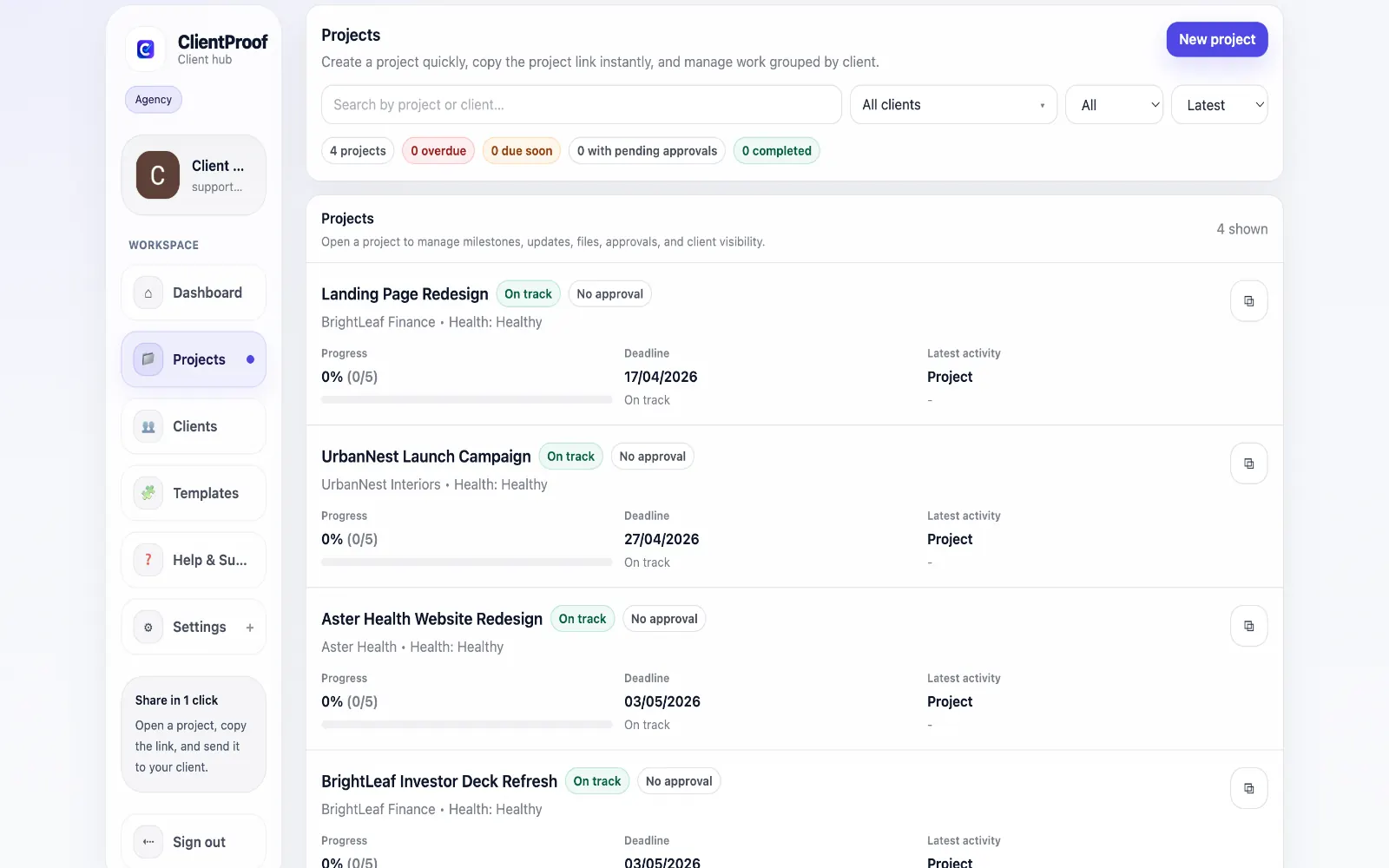
These are the core ClientProof workflows behind the client-facing experience for this audience.
Show clients what changed, what is next, and where the project stands.
Explore project status updatesRequest sign-off from the same no-login project page clients already use.
Explore client approval softwareKeep review rounds, creative files, comments, and final decisions connected.
Explore creative approval softwareGenerate timestamped proof when a client approves a deliverable.
Explore approval receiptsMarketing consultants often sit between strategy and execution. A single engagement can include audits, positioning notes, campaign calendars, SEO recommendations, landing page feedback, reporting summaries, and implementation tasks. Clients need clarity on what has been delivered, what is waiting for their input, and what has already been approved. Email is a weak system for this type of consulting delivery. Reports get buried, strategy documents are forwarded without context, and clients ask for a status recap before every meeting. That creates administrative drag and can make a high-value engagement feel less organized than it really is. ClientProof gives marketing consultants one client-facing destination for the engagement. You can structure milestones around discovery, audit, strategy, implementation, reporting, and next actions. Each update can explain what changed, attach the relevant deliverable, and identify any approval or decision needed from the client. The client opens one link and sees the full timeline without logging in. This works well for fractional marketing leads, SEO consultants, paid media consultants, and growth advisors who want a cleaner delivery experience without adopting a heavy agency CRM. ClientProof does not replace analytics, planning, or campaign tools. It turns the output of those tools into a simple client-facing approval and visibility workflow. The consulting value is not only in the documents; it is in helping the client make decisions at the right time. A campaign brief may need approval before creative production starts. A landing page recommendation may need sign-off before development begins. A reporting summary may require the client to approve the next month of priorities. ClientProof keeps those decision points visible instead of hiding them inside meeting notes. For consultants managing several clients at once, that visibility also protects focus. The dashboard shows which projects have pending approvals and which clients have not reviewed updates. That means follow-up can be targeted rather than reactive. Instead of rewriting the same status email every week, the consultant can point the client back to a live project page that explains progress, blockers, deliverables, and next actions. This is useful for stakeholder changes too. If a new marketing lead joins mid-engagement, the consultant can share the same project page instead of rebuilding context from scratch. The page becomes a lightweight account history: what was recommended, what was delivered, what was approved, and what needs attention next. It also makes recommendations easier to operationalize. Instead of sending a deck and hoping the next action is remembered, the consultant can attach the deck, write the decision needed, and keep the approval beside the recommendation.
Teams usually adopt this workflow to reduce repeated recap messages, avoid tool-switching confusion, and give clients one clear destination for updates, files, and decisions.
Use this matrix to evaluate whether ClientProof fits your client-delivery workflow better than alternatives.
| Feature | ClientProof | Alternative |
|---|---|---|
| Monthly report delivery | Reports and notes in one client page | Usually email attachments |
| Strategy approval tracking | Approval requests with receipts | Often buried in replies |
| No-login stakeholder access | Yes | Varies |
| Internal campaign management | No | Specialist tools handle this |
| Best for | Consultants needing client-facing clarity | Internal analytics or task execution |
Create milestones for audit, strategy, execution support, reporting, and next actions.
Publish concise updates that translate marketing work into client-ready decisions.
Attach reports, decks, briefs, and campaign assets to the relevant milestone.
Request approval before moving from strategy into execution or launch.
Yes. Monthly summaries, report files, key takeaways, and next actions can be posted to the project page so clients can self-serve context between meetings.
Yes. Approval requests can be attached to strategy documents, campaign plans, creative directions, or other deliverables that need client sign-off.
No. Keep using analytics, ad platforms, SEO tools, or planning systems internally. ClientProof is the client-facing delivery layer for updates, files, and approvals.
No. Clients open one shared project link without creating a ClientProof account, which makes it easier for busy stakeholders to stay aligned.
Start free forever and share one clean client link for updates, files, and approvals.