 ClientProof
Project status updates
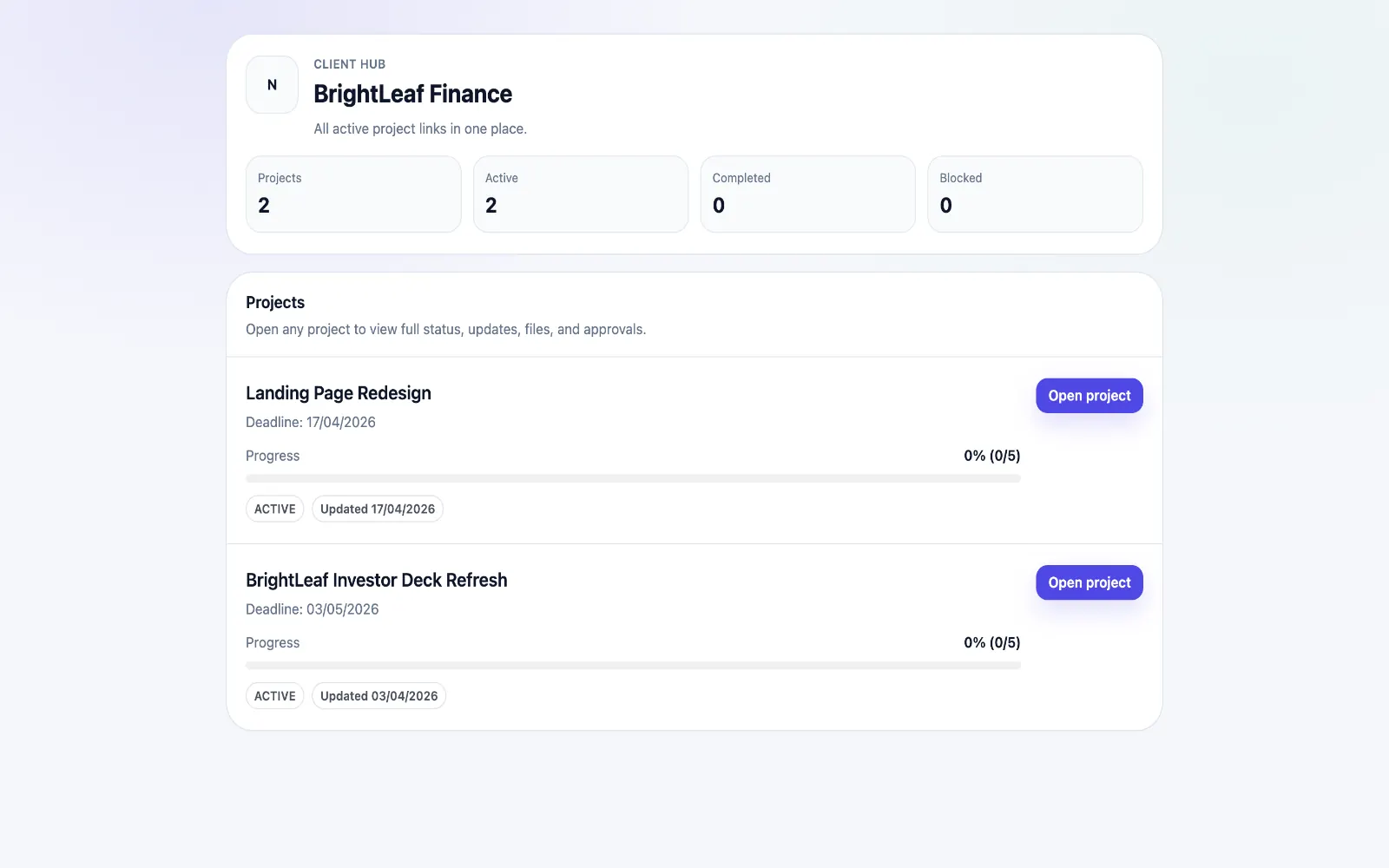
Show clients what changed, what is next, and where the project stands.
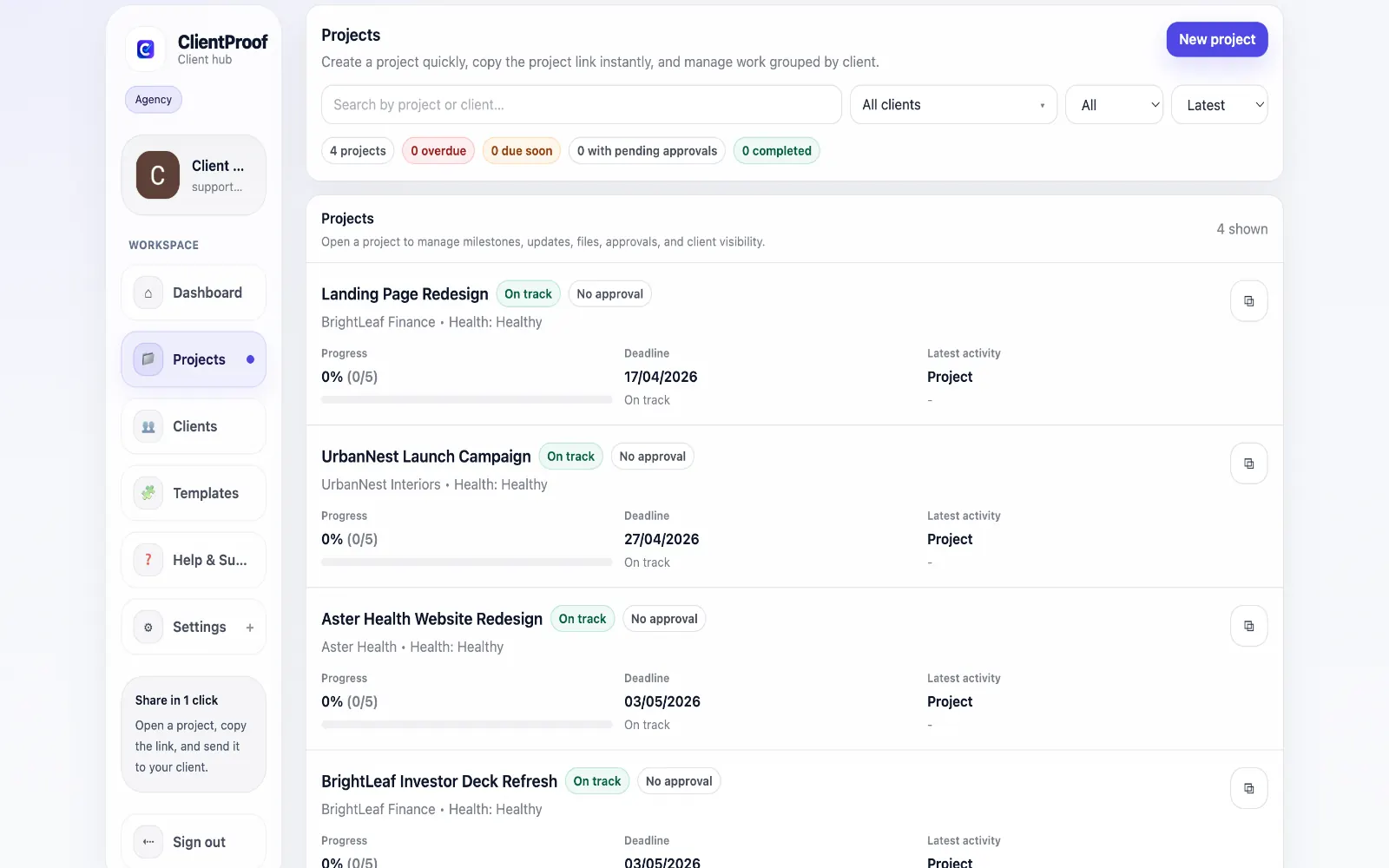
Explore project status updatesClientProof helps creative agencies run smoother delivery workflows with one client-facing link for milestones, files, approvals, and project visibility — no client login required.
These are the core ClientProof workflows behind the client-facing experience for this audience.
Show clients what changed, what is next, and where the project stands.
Explore project status updatesRequest sign-off from the same no-login project page clients already use.
Explore client approval softwareKeep review rounds, creative files, comments, and final decisions connected.
Explore creative approval softwareGenerate timestamped proof when a client approves a deliverable.
Explore approval receiptsCreative agencies often deliver high-iteration work where version changes, stakeholder feedback, and approval timing all matter. When this process runs across email, cloud folders, and disconnected docs, client confidence drops and delivery overhead rises. ClientProof gives agencies one structured delivery page per project. Teams publish updates, attach the right files to the right milestone, and request approvals in context. Clients can review and decide without account setup, which removes a major source of friction in multi-stakeholder projects. At the account level, agencies can monitor engagement and approval state across active projects from one dashboard. This helps teams prioritize projects that need follow-up, reduce project drift, and keep delivery communication consistently professional.
Teams usually adopt this workflow to reduce repeated recap messages, avoid tool-switching confusion, and give clients one clear destination for updates, files, and decisions.
Use this matrix to evaluate whether ClientProof fits your client-delivery workflow better than alternatives.
| Feature | ClientProof | Alternative |
|---|---|---|
| No-login client access | Yes | Varies by tool |
| Status + files in one client view | Built-in | Often split across tools |
| Client approval clarity | Structured | Commonly scattered |
| Setup speed for first project | Fast | Can require extra configuration |
| Best fit | Freelancers and agencies focused on delivery visibility | Other tools |
| Winner | Best for client-facing delivery clarity | Best for broader or internal workflows |
Create a role-specific client delivery page template.
Publish weekly milestone updates in one consistent format.
Attach files and approvals to milestones so clients track decisions clearly.
Use one shared link for client communication instead of scattered recaps.
Yes. Creative agencies can run multiple projects in parallel and monitor status, pending approvals, and client engagement from one dashboard.
Yes. Agencies can request approval on specific deliverables and keep a timestamped record of client decisions tied to milestone context.
Files are attached to project milestones and updates, so clients can see exactly which version belongs to which phase and what action is required. This works through a repeatable project page where milestones, files, and approvals stay in context.
No. Clients open one shared project link and can review updates, files, and approvals without creating an account.
Start free forever and share one clean client link for updates, files, and approvals.