 ClientProof
Project status updates
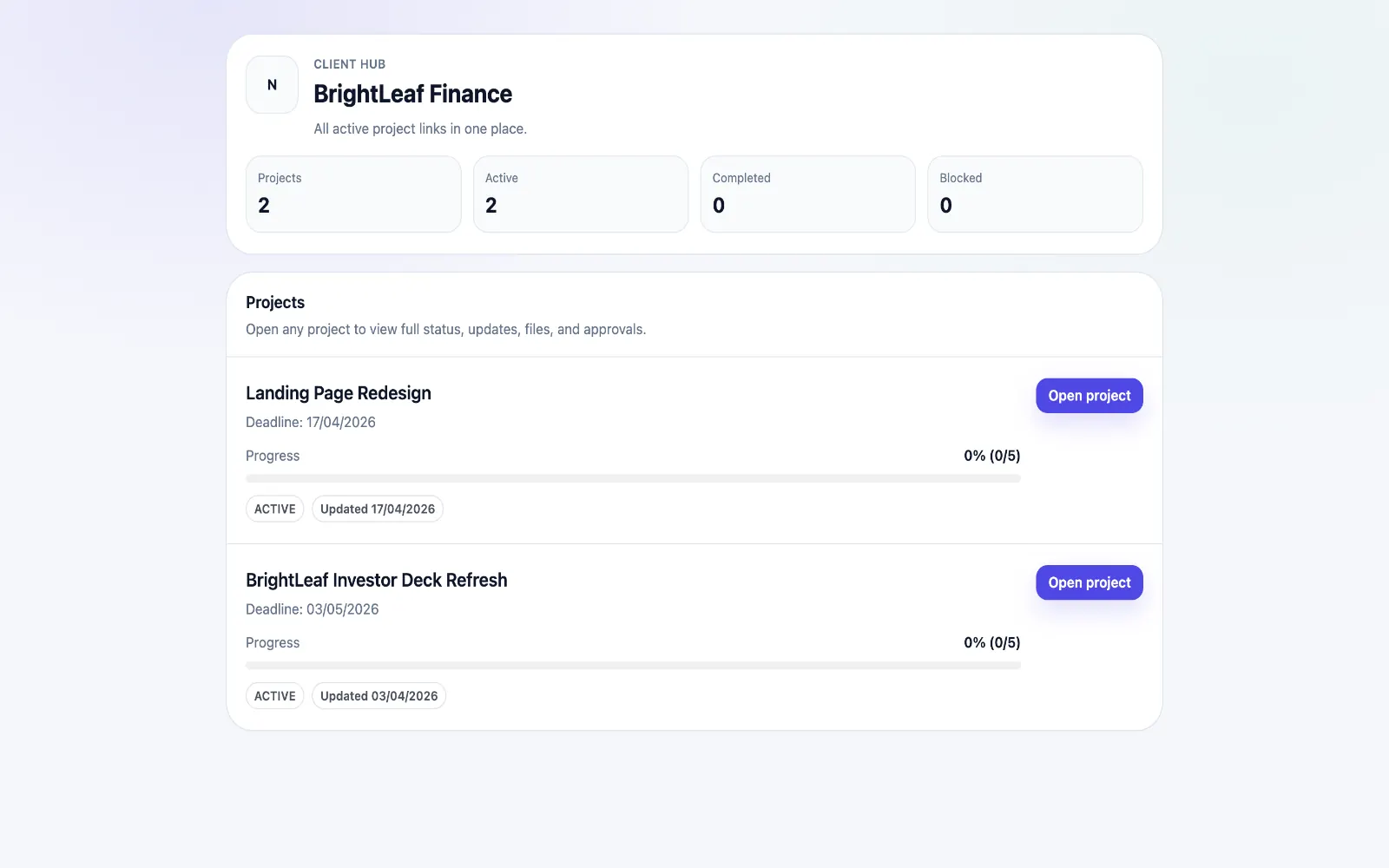
Show clients what changed, what is next, and where the project stands.
Explore project status updatesClientProof helps video editors deliver review cuts, collect client decisions, and keep final exports organized in one no-login client portal built for faster sign-off.
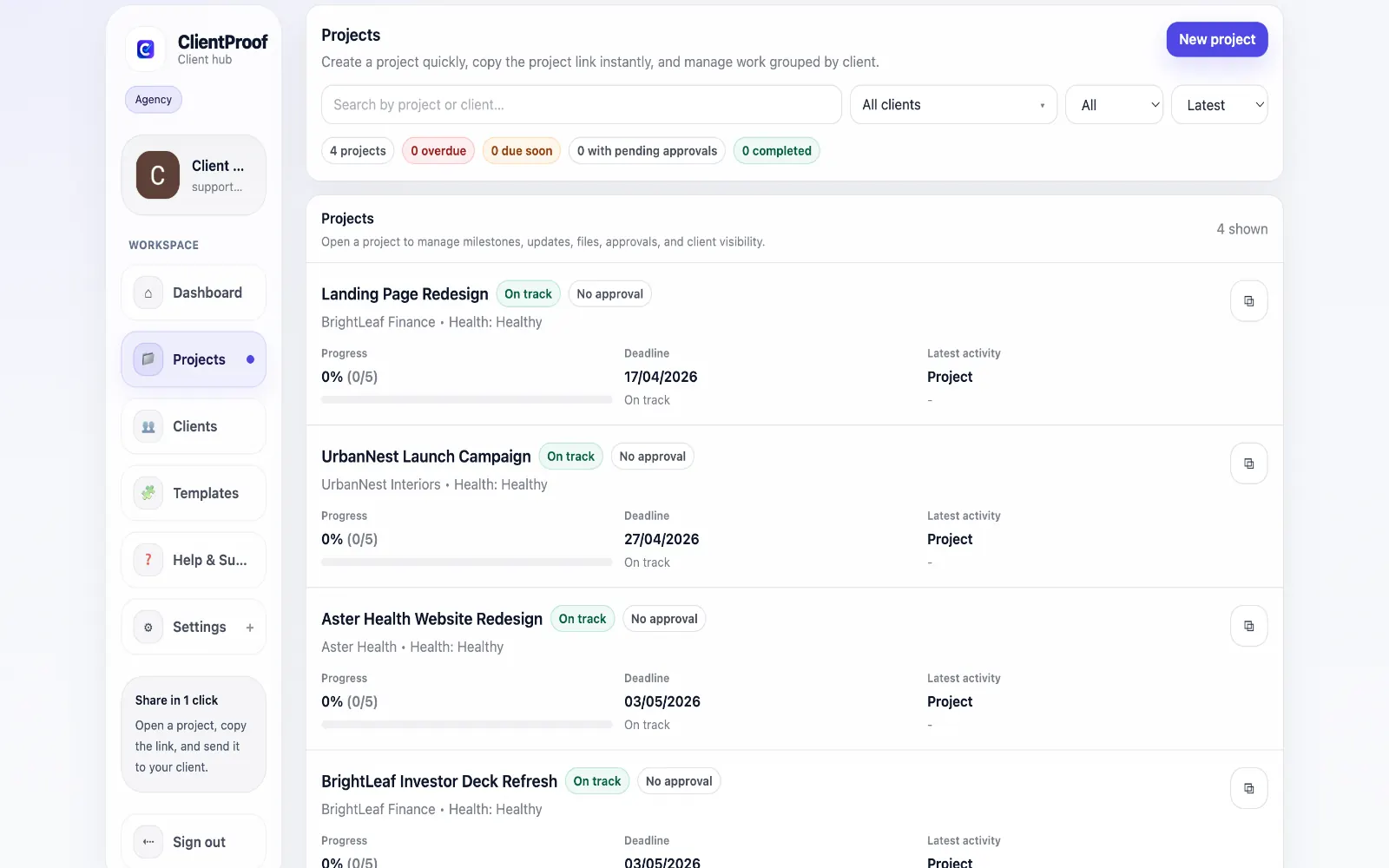
These are the core ClientProof workflows behind the client-facing experience for this audience.
Show clients what changed, what is next, and where the project stands.
Explore project status updatesRequest sign-off from the same no-login project page clients already use.
Explore client approval softwareKeep review rounds, creative files, comments, and final decisions connected.
Explore creative approval softwareGenerate timestamped proof when a client approves a deliverable.
Explore approval receiptsVideo editing projects create a lot of moving parts: rough cuts, revised cuts, music options, captions, thumbnails, final exports, and stakeholder feedback. When every version is sent through a different download link or long email chain, clients lose track of what is current and editors spend unnecessary time confirming which cut was reviewed. ClientProof gives video editors a simple client-facing project page for the delivery side of the work. You can organize the project by edit phase, attach preview or delivery files, write a clear status update, and request approval when a cut is ready. Clients open one link and see the current state of the project without needing to create another account. This is especially useful when multiple reviewers are involved. A client may forward a video link to a founder, marketing lead, or external partner. Instead of everyone replying in separate threads, the ClientProof page keeps the key decision attached to the right milestone and file. When the final cut is approved, the approval receipt provides a timestamped record of that decision. ClientProof is not intended to replace specialist frame-accurate annotation tools for complex post-production teams. It is best for freelance editors, social video teams, agencies, and creators who need a lighter delivery and approval layer around their existing editing workflow. You can still use your preferred hosting, editing, or proofing tools, then use ClientProof as the final client-facing source of truth. The biggest operational win is that clients can tell which cut they are supposed to review. A video editor can post a short note explaining what changed since the last cut, what feedback was applied, and what remains outside scope. That context is often missing when files are shared as bare links, and it is the reason clients accidentally comment on outdated exports. A clear portal also improves final delivery. The last milestone can include final MP4 exports, captions, thumbnails, usage notes, and the approval receipt confirming sign-off. If the client asks for a file again later, the editor does not need to search old messages or rebuild a download package. The project page remains the organized delivery record. Video editors can also use the page to control revision boundaries. A milestone can explain whether the client is reviewing pacing, copy overlays, color, audio, or final delivery packaging. That prevents broad feedback from arriving too late in the process and gives the editor a cleaner reason to separate included revisions from out-of-scope change requests.
Teams usually adopt this workflow to reduce repeated recap messages, avoid tool-switching confusion, and give clients one clear destination for updates, files, and decisions.
Use this matrix to evaluate whether ClientProof fits your client-delivery workflow better than alternatives.
| Feature | ClientProof | Alternative |
|---|---|---|
| Video review context | Milestones, updates, files, and approvals | Often just a link or email thread |
| Frame-accurate annotations | No | Specialist proofing tools may support this |
| No-login client review | Yes | Varies |
| Approval receipt | Yes - automatic | Usually manual |
| Best for | Freelance editors and small teams needing sign-off | Complex production review teams |
Create milestones for rough cut, revision round, final review, and delivery.
Attach preview files or hosted video links with a short note about what changed.
Request client approval when the current cut is ready for sign-off.
Keep the final approval receipt with the project record before publishing or handoff.
Yes. You can attach or link the cut, add context, and request approval on that deliverable. The client's decision is recorded with a timestamped approval receipt.
No. ClientProof is a lightweight delivery and approval portal, not a specialist frame-accurate proofing platform. It works best when you need clear client sign-off and organized delivery history.
ClientProof supports file delivery and context around deliverables. For very large assets, teams can also include hosted review or download links in project updates and milestones.
No. Clients open the shared project link and review the current milestone, file, or approval request without creating an account.
Start free forever and share one clean client link for updates, files, and approvals.