 ClientProof
Decision path
Choose ClientProof if...
- You want clients to see updates, files, and approvals in one link.
- You need faster signoffs with less recap messaging.
- You care about professional delivery visibility without login friction.
ClientProof vs Notion is a common decision for freelancers who need a cleaner client-sharing workflow.
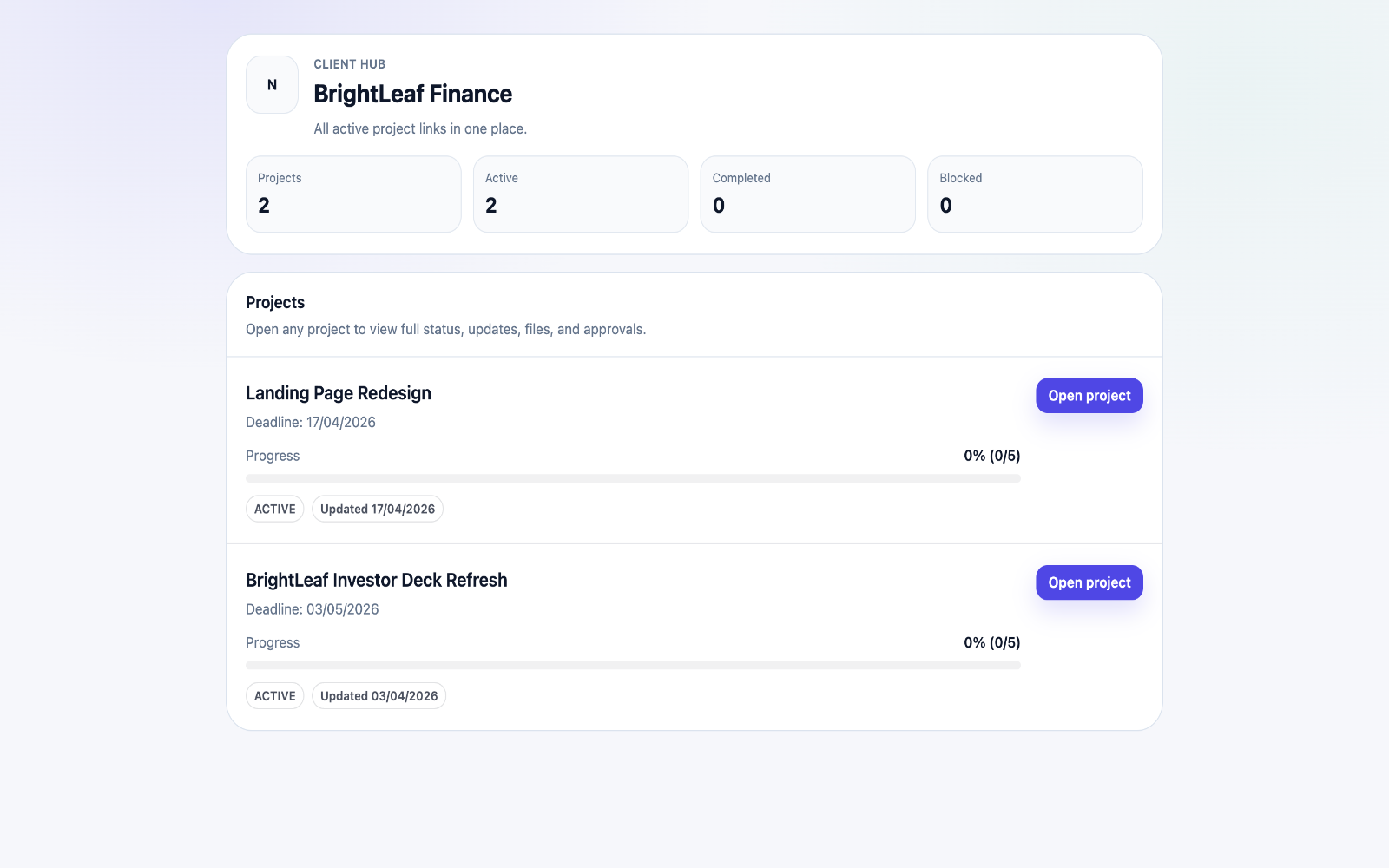

Notion is flexible for docs, while ClientProof is built for client-facing delivery, updates, and approvals.
Teams usually adopt this workflow to reduce repeated recap messages, avoid tool-switching confusion, and give clients one clear destination for updates, files, and decisions.
Use this matrix to evaluate whether ClientProof fits your client-delivery workflow better than alternatives.
| Feature | ClientProof | Alternative |
|---|---|---|
| No-login client access | Yes | Usually limited or indirect |
| Status + files in one client view | Built-in | Often split across tools |
| Client approval clarity | Structured | Commonly scattered |
| Setup speed for first project | Fast | Can require extra configuration |
| Best fit | Freelancers and agencies focused on delivery visibility | Notion for Client Sharing |
| Winner | Best for client-facing delivery clarity | Best for broader or internal workflows |
Review your current client delivery process and communication gaps.
Compare no-login access, status visibility, and approval workflows.
Pilot one active project with a delivery-first page structure.
Adopt the tool that reduces recap messages and improves approval speed.
Yes. It is designed specifically for client-facing delivery workflows.
Notion can still work well for internal documentation and knowledge management.
ClientProof is purpose-built for no-login client viewing.
Start your 14-day trial and share one clean client link for updates, files, and approvals.